
Create a FULL Local NuGet Repository with PowerShell
UPDATE: with the release of NuGet 1.0 RTM, this script has some breaking changes. For an updated version, see this post by Jon Galloway:.
is simply awesome. Despite its relative infancy, it has already established itself as the standard for.NET package management. You can easily add packages from the or even from a local directory on your machine. Phil Haack already has an excellent post describing how you set up a local feed. His post does a great job of explaining *how* to set up the feed, but how do you get packages (that you didn’t create locally) to put in there in the first place? One way is to simply install a package and then grab the *.nupkg file locally and then copy/paste it into whatever folder you’ve designated as your local NuGet feed. For example, if I’ve added the AutoMapper package, I can just grab it from here:
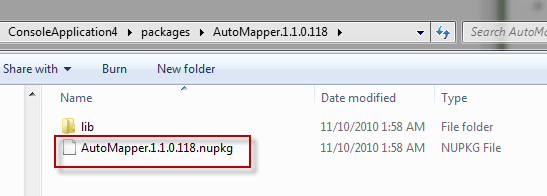
But what if I want to grab ALL of the packages from the local feed and store them all locally in a single directory? Certainly, this copy/paste process is way to manual of a process. Fortunately, the OData feed for NuGet tells you all you need to know.
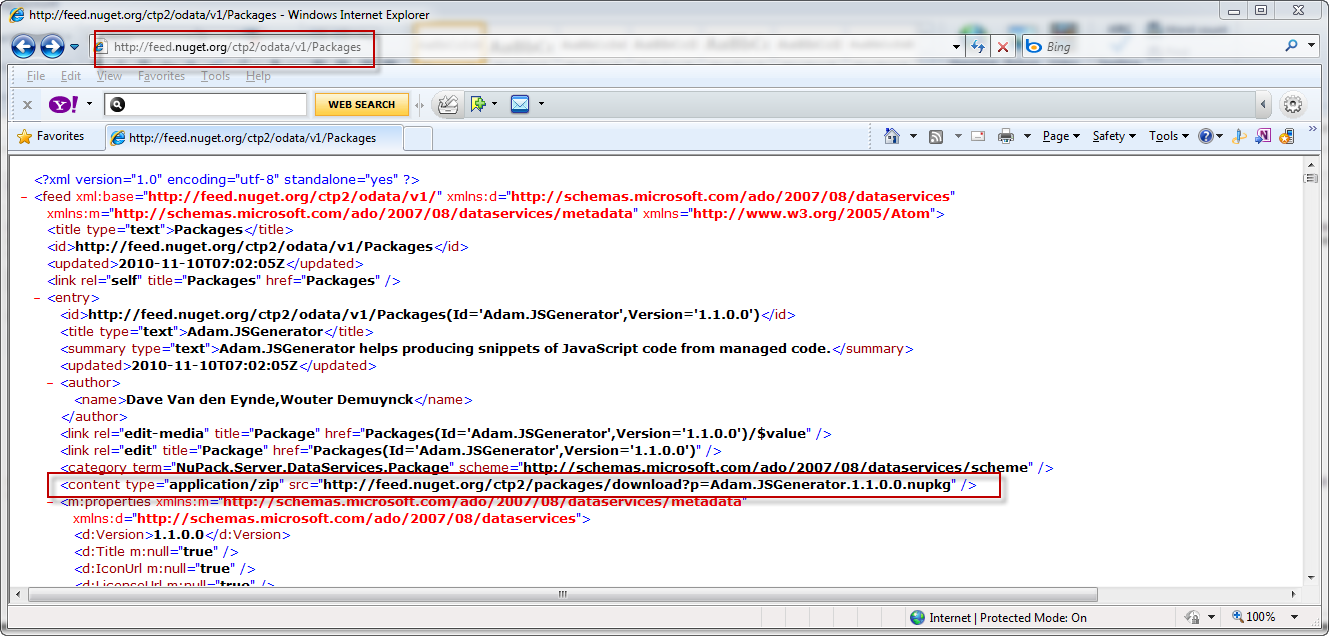
Notice how the tag shows me the URI that I need to hit in order to download the file? That makes life easy. Now all we need is a few lines of PowerShell to put everything in a single local directory:
1: $webClient = New-Object System.Net.WebClient
2: $feed = [xml]$webClient.DownloadString("http://feed.nuget.org/ctp2/odata/v1/Packages")
3: $destinationDirectory = "C:\development\LocalNuGetTest"
4:
5: $records = $feed | select -ExpandProperty feed | select -ExpandProperty entry | select -ExpandProperty content
6:
7: for ($i=0; $i -lt $records.Length; $i++) {
8: $url = $records[$i].src
9: $startOfQuery = $url.IndexOf("?p=") + 3
10: $fileName = $url.Substring($startOfQuery, $url.Length - $startOfQuery)
11: $fullPath = ($destinationDirectory + "\" + $fileName)
12: $webClient.DownloadFile($records[$i].src, ($destinationDirectory + "\" + $fileName))
13: }
I specify my destination directory on line 3. Then I expand the XML elements into an object that PowerShell understands. After that it’s a simple matter of string parsing and downloading the files with the WebClient.
Now that you have all the packages locally, you can work offline even when you don’t have access to the public feed.
posted on Wednesday, November 10, 2010 3:34 AM Print