
Outlook hangs during startup by step “loading profile”
Problem
Starting Outlook shows only the splash screen with comment “loading profile”. I could cancel the startup but restarting shows the same. I verified with Task Manager that no hidden outlook process is bother me.
Solution
Scanpst
Normally with Outlook the tool “Microsoft Outlook Inbox Repair Tool” (scanpst.exe) is additionally installed. Some people could access it via Startmenu, but not me.
My lovely Launchy found it under
"C:\Program Files (x86)\Microsoft Office\Office14\SCANPST.EXE"
Scanpst first ask you for the pst file which you would like to scan. I started with the first default offer:
C:\Users\…\AppData\Local\Microsoft\Outlook\….ost
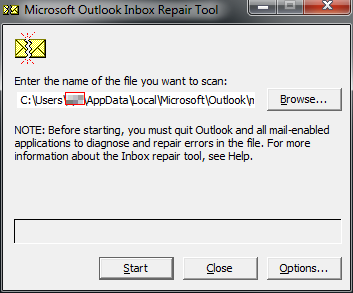
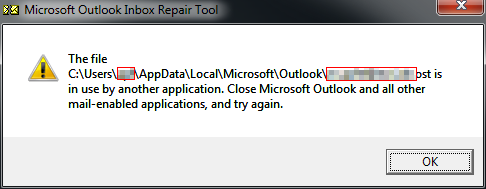
And this brings up the information, that another application uses this file.
Handle
To investigate the causer Handle from Sysinternals is your friend in such cases.
Start it from an administrative console and pipe the output to a file.
handle > c:\temp\handle.txt
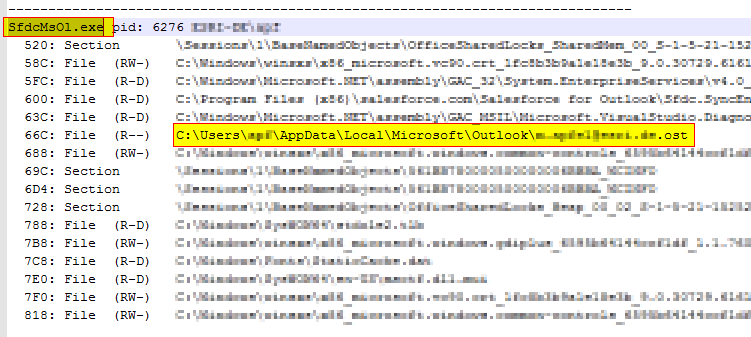
Now you could open this file with the editor of your choose and search for the blocked file (your pst file).
On top of the section you see the application which has a handle to this file opened (SfdcMsO1.exe).
Task Manager
Kill this application and start Outlook again.
And voila – everything starts up fine … by me 