
Microsoft’s new Internet Explorer 8 comes on Windows 7 (of course) but I am unable to tell what version of IE this really is. Here is the About dialog from the one that comes on the OS by default:
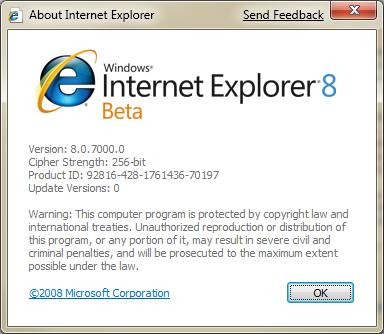
If you look at the version number – it is 8.0.7000.0 – which I really don’t think is too real as it looks like the Microsoft programmers just set all the build numbers to 7000 for the sake of being Windows 7. A little annoying but I understand the fun they are trying to have.
The reason for all this conversation is that I am having issues with the IE on Windows 7. It doesn’t work so well on my Intranet and some of the pop-ups are going a bit crazy (multiple times). Also, probably my biggest pain is that the Delicious IE toolbar doesn’t install. It does install on Internet Explorer 8 Beta 2 on my XP machine as well as a Vista machine that I have. So, I am unsure why it won’t install on this machine.
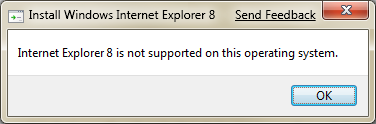
To fix this, I went to http://www.microsoft.com/ie and tried to install the latest and greatest IE – which is Beta 2 at this time. I was concerned that maybe the one on Windows 7 was older than what is currently available. Though, in downloading the setup.exe file for IE there wasn’t a version in place for Windows 7 32- or 64-bit. This is understandable as Windows 7 isn’t released as of yet. So, I tried installing the one meant for Windows Vista 64-bit and I got this logical message:
Oh well. It is what it is.