
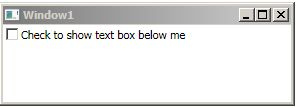
A lot of times, I need to show or hide a textbox based the value of a checkbox.
In WinForms 2.0. This was easy:
With the new Visibility Enum in WPF, this becomes a bit trickier. To accomplish this, you need to implement a converter that will accept a boolean value and return a visibility value. The converter I used is here:
The XAML code to use this is below. The important parts are:
xmlns:converters="clr-namespace:ParaPara.Converters"
converters:BooleanToHiddenVisibility x:Key="boolToVis"
TextBox ... Visibility={Binding Path=IsChecked, ElementName=checkViewTextBox...}"
Now we can cleanly show or hide an element based on a checkbox using just XAML code.