
Maybe it is just me, but I’m not a big fan of huge amounts of XML configuration. I can get by with a few name-value pairs in an app.config or a web.config but much more makes me nervous that I’m going to mistype something and not know about it until run time. I’ve been using Unity and it has the ability to load up its configuration from the app.config or web.config. Here’s a sample:
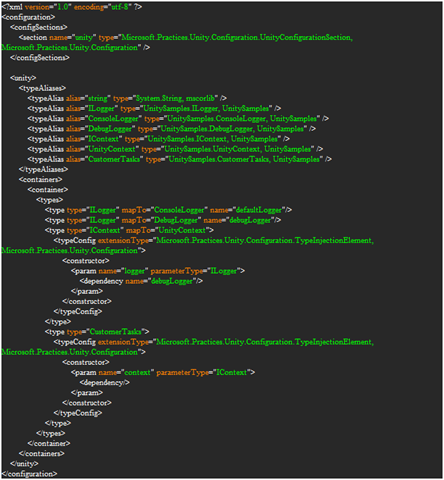
Yeah…..what else ya got?
It offers a “fluent” API for programmatic registration. Sweet! Now I just have to convert all that XML into code. Hmmmm…Now I have a whole lotta
Container.RegisterType<IMyThing, MyThing>();
That works for a trivial class but I don’t want to write a bunch of repetitive code that simply registers interfaces for types. StructureMap has some sort of convention based registration, why not Unity? Let’s get busy…
To start off I’ll add a few extension methods to make life a bit easier:
public static class ExtensionMethods
{
    public static IEnumerable<Type> GetInterfaces(this Assembly assembly)
    {
        return assembly.GetTypes().Where(t => t.IsInterface);
    }

    public static IList<Type> GetImplementationsOfInterface(this Assembly assembly, Type interfaceType)
    {
        var implementations = new List<Type>();

        var concreteTypes = assembly.GetTypes().Where(t =>
            !t.IsInterface &&
            !t.IsAbstract &&
            interfaceType.IsAssignableFrom(t));

        concreteTypes.ToList().ForEach(implementations.Add);

        return implementations;
    }

    public static void ForEach<T>(this IEnumerable<T> enumerable, Action<T> action)
    {
        foreach (var item in enumerable)
        {
            action(item);
        }
    }
}
These just offer some shortcuts for getting all the interface from an assembly and then finding all the types which implement a given interface in an assembly. Now we can use these to find and register our interfaces and implementations in our ConventionRegistrar:
public class ConventionRegistrar
{
    public static void Configure(IUnityContainer container)
    {
        var asm = Assembly.GetExecutingAssembly();

        var interfaces = asm.GetInterfaces();

        foreach (var interfaceType in interfaces)
        {
            var currentInterfaceType = interfaceType;

            var implementations = asm.GetImplementationsOfInterface(interfaceType);

            if (implementations.Count > 1)
                implementations.ToList().ForEach(i => container.RegisterType(currentInterfaceType, i, i.Name));
            else
                implementations.ToList().ForEach(i => container.RegisterType(currentInterfaceType, i));
        }
    }
}
I have this one hard coded to use the executing assembly, but that could easily be changed. Essentially, this just looks up the interfaces then finds all the types that implement those interfaces. The only funky part is where I check if more than one type implements an interface. If that is the case I want to register it as a “named” type, otherwise Unity will only keep the last one registered. This way I can have multiple types implement an interface and get them all by calling
var startupTasks = Container.ResolveAll();
That will give me an array of all the classes that implement the IStartupTask interface. So now instead of all that XML or those repetitive Container.Register<I, T>() calls I can simple call ConventionRegistrar.Configure(Container) and most of my work is done. Sure, I may have to do some custom registration for special cases but I’ve taken care of the tedious registration tasks.
Enjoy!