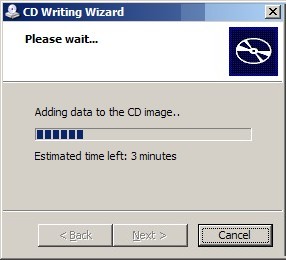
There is no disc in the drive. (fixed)

YES THERE IS!

I'm using a Dell Latitude D620 Laptop (with Windows XP Pro).
I burn a lot of CDs for various reasons.
One error from the CD Writing Wizard I frequently receive (and have not yet found a permanent solution) is the "There is no disc in the drive." / "Insert a writable disc to continue." error -- even when there IS, in fact, a disc in the drive.

Rebooting will SOMETIMES fix the problem, but is not necessary.
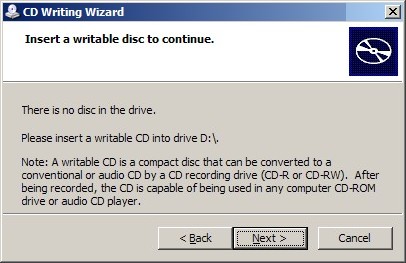
1 Wizard Fail
 

To fix this, I'll go to the drive properties of the CD RW drive (right click) and select the "Recording" tab.
Once there, I'll UNCHECK the "Enable CD recording on this drive" checkbox and click "Apply".
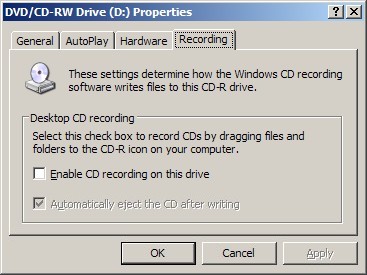
2 Drive Properties

A message will appear and I'll click "Yes" to continue.
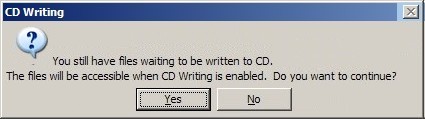
3 CD Writing Option

I'll then go back into the properties and re-check that same checkbox and click "OK".
Then right-click the drive and tell it to "Write these files to CD".
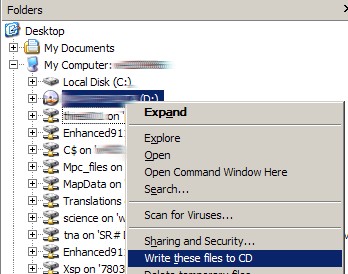
4 Reburn

Works every time:
5 Success

I've gotten very accustomed to doing this and it no longer surprises me when it happens.

This article is part of the GWB Archives. Original Author: Tom Hines

New on Geeks with Blogs

  • We Won The One Award I Actually Care About

    Full Scale made the Inc. 5000 for the fifth year straight, the 12th listing across my three companies. Here is why the one award you cannot buy is worth stopping for.

  • Your Customers Build the Features Now

    I let a tool I liked sit dead for a year rather than build the features I wanted. An MCP server meant I never had to, and your customers can do the same to your product.

  • Get the Size of a Directory in Linux the Easy Way

    du -sh for the quick answer, ncdu for the cleanup, df for the disk itself: every command for checking directory size in Linux, plus why du and df never agree.

  • Vim Search and Replace: The Ultimate Guide

    One :%s command replaces every match in a file before a find dialog would even open. The Vim substitute patterns worth the muscle memory: flags, ranges, capture groups, and multi-file edits.