
Hello geeks after a long time, I write some thing that basically tell what the actually difference between .net assembly and Netmodule file. I illustrate this blog by using the following piece of code block.
using System; public class CSharpHelloWorld { public CSharpHelloWorld() {} ///<summary> /// ///</summary> public void displayHelloWorld() { Console.WriteLine("Hello World, from C#!"); } } |
.Net Assembly File
Basically .Net assembly is a compile library that contains code in CIL (Common Intermediate Language) form, which is generated form actual source code and assembly manifest that is a metadata for assembly. It’s practically possible that assembly consist of more than one files e.g. resource file, .netmodule file.
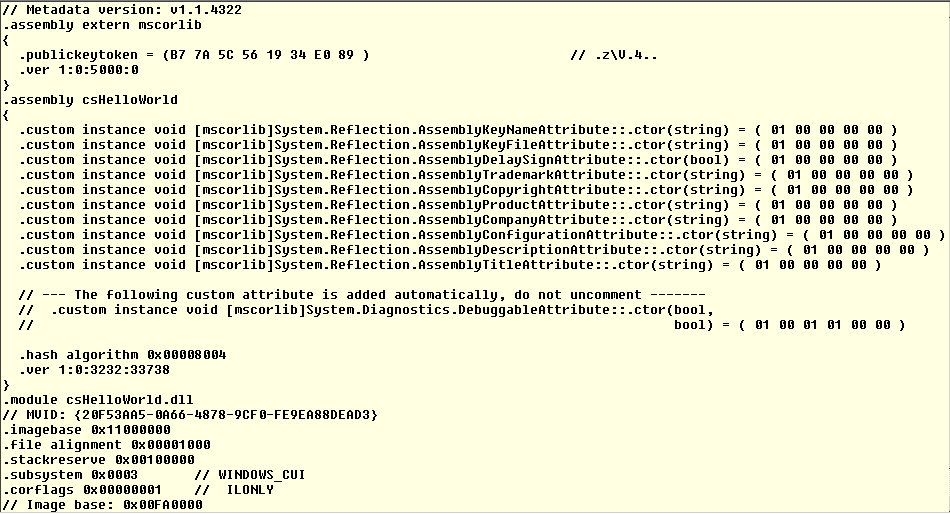
Figure 1: [CSharpHelloWorld.dll] Contain assembly manifest and metadata
Netmodule File
Netmodule is a unit of compilation. Basically code file is a single module. This is the feature of the specific compiler to compile the source code into assembly or a netmodule. Netmodule only contain type metadata and compiled code (netmodule does not required assembly manifest information). But there is a limitation with netmodule files; it has to be required assembly linking for execution [you can use /addmodule switch of compiler to link the netmodule into assembly].
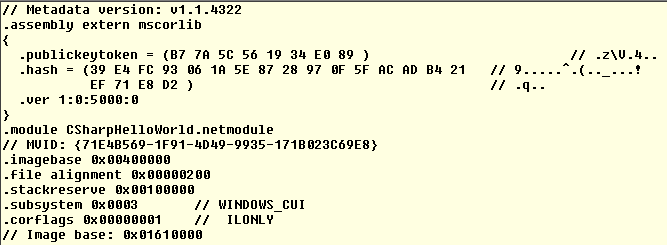
Figure 2: [CSharpHelloWorld.netmodule] Contain only metadata information.
Note:-
Type the following command on Visual Studio Command prompt to generate netmodule file
csc.exe /t:module HelloWorld.cs
This blog contain only initial level of information. *