
In this blog post I’ll be covering,
- 01: Where to download Quartz.net from
- 02: How to install Quartz.net as a Windows service
- 03: Test the Quartz.net Installation
If you are new to Quartz.Net I would recommend going through,
- A brief Introduction to Quartz.net
- Writing & Scheduling your First HelloWorld job with Quartz.Net
- How to Configuring Logging for Quartz.Net windows service
01 – Where to download Quartz.net?

- Currently version Quartz.Net 2.0.1 is the recommended download version.
02 – How to install Quartz.net as a Windows service

-
Go to the download location and unzip the Quartz.net package
-
Navigate to the folder Quartz.Net \ Server \ bin – This is where you will find different .net version installers of the quartz.net packages. For example in the screen shot above, you can see the Quartz.net .net 3.5 and .net 4 packages.
-
Open up the Quartz.net .net 4.0 folder, this folder contains the files you need to install Quartz.net as a windows service
-
Copy the contents of the folder Downloads\Quartz.NET-2.0.1\server\bin\4.0 to the folder %program files%\Quartz.net
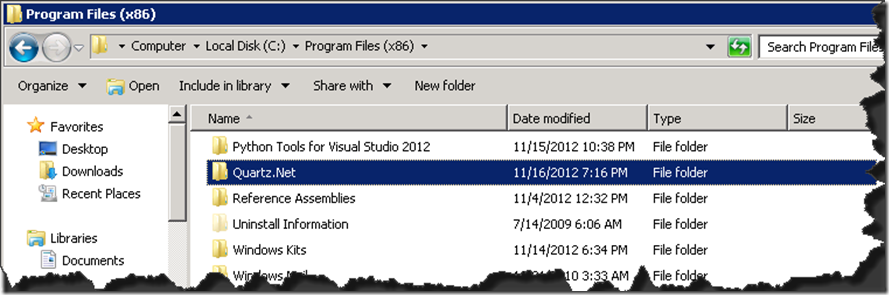
5. Open up a new CMD as an administrator and run the below command to install Quartz.net as a windows service
/> Quartz.Server.exe install
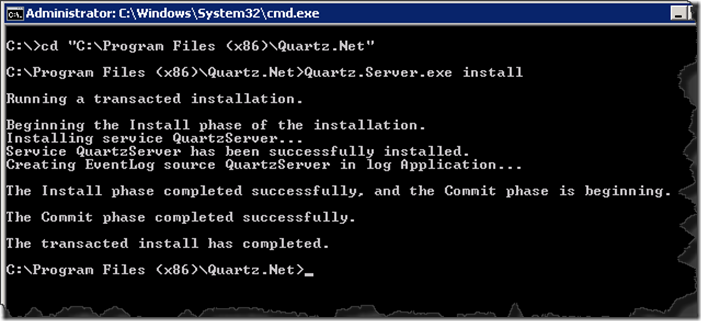
6. How do I know that Quartz.Net service has installed as a Windows service?
Go to run prompt and type ‘services.msc’ you should now see all the windows services installed on your machine. Navigate down to look for Quartz.Net. The service installs itself as an automatic startup Type and log on as ‘Local System’. You can easily change this to your prefer account that you would like to run the service as.
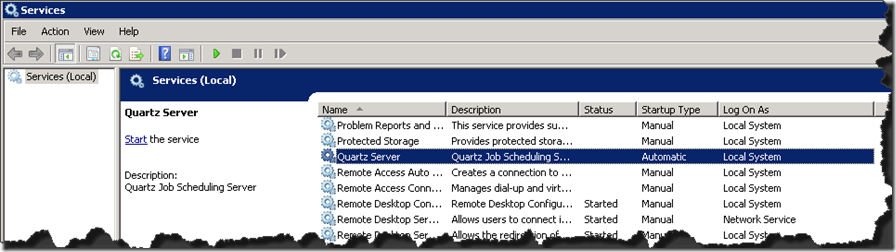
If you wanted to name the Quartz service something else then that’s also possible…
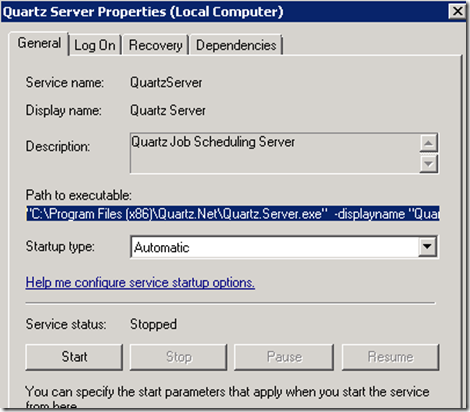
Can I change the default display name of the quartz.net windows service?
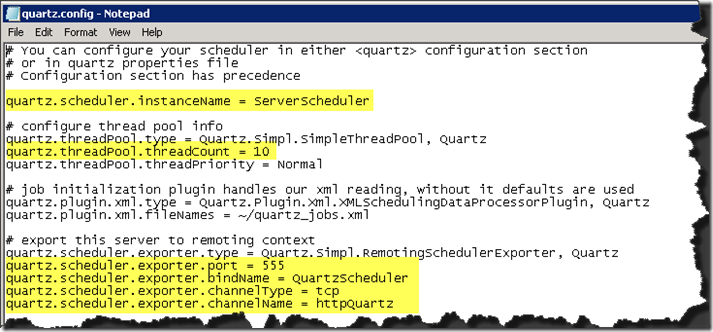
Yes, you can! Navigate to C:\Program Files (x86)\Quartz.Net\ and open up the config file ‘quartz.config’
- You can change the instance name
- You can change the default thread count of 10
- The port that the service listens to (by default this is port 555)
A blog post on more configuration details can be found here.


03 – Test Quartz.Net windows service installation
So, I have installed Quartz.Net as a windows service, how do I test whether my installation has been successful.
Open up cmd as an administrator and run the below command,
C:\Program Files (x86)\Quartz.Net> Quartz.Server.exe –i

Since by default the Quartz.net windows service writes INFO level diagnostics (this can be changed from Quartz.Server.exe.config) you should see the service information show up on the console. For instance in the example above I can see that the service is running in a NON CLUSTERED mode, its currently not started and is currently in standby mode with 0 number of jobs executed so far…