
*** Thanks to Steve St. Jean for asking this question and Shubhra Maji for answering this question on the ALM champs list ***
01 – Introduction
The default behaviour of coded UI tests running in an Internet Explorer browser has changed between MTM 2010 and MTM 2012. When running a Coded UI test recorded in MTM 2012 or VS 2012 at the end of the test execution the instance of the browser is closed by default.
02 – Description
Let’s take an example. As you can see the CloseDinnerNowWeb() method is commented out. In VS 2010, upon running this test the browser would be left open after the test execution completes.
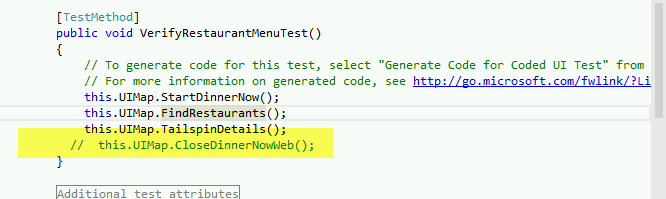
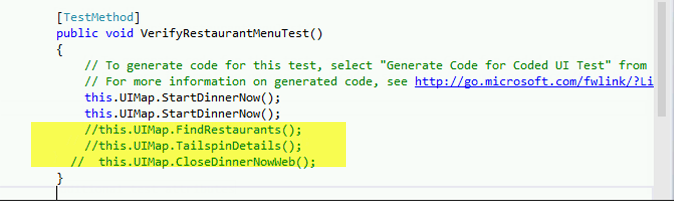
In VS 2012 RTM the behaviour has changed. At the end of the test run, the IE window is closed even though there is no command from the test to do so. In the example below when the test runs, it opens 2 IE windows to the website. When the test run completes both the windows are closed, even though there is no command in the test to close the window.
03 – How to change the CUIT behaviour not to close the IE window after test execution?
This change to this functionality in VS 2012 is by design. It is however possible to rollback the behaviour to how it originally was in VS 2010 i.e. the IE window will not close after the test execution unless otherwise commanded by the test to do so.
To go back to the original functionality, set BrowserWindow.CloseOnPlaybackCleanup = false
More details on the CloseOnPlaybackCleanup property can be found here http://msdn.microsoft.com/en-us/library/microsoft.visualstudio.testtools.uitesting.applicationundertest.closeonplaybackcleanup.aspx
HTH 