
As web developers and consumers, we’re all familiar with the HTML tag. This is the tag that renders on the screen as an input text box. However, as developers you may not be familiar with all of the “new” HTML 5 values for the type attribute. If you’re not, you should be sure to check them out…and start using them in your websites today!
By the way, there is a reason for the word “new” to be in quotations and for the bolded part of that last sentence. The great thing about the way all modern browsers implement the HTML standards is to be fairly tolerant of unknown values and to fall back to a reasonable default. In the case of the tag’s type attribute, the default value is “text”. That means that if someone uses a browser that isn’t HTML 5 compliant, they won’t see anything different than they do now (before you change the input type). However, if someone is using an HTML 5 compliant browser, they will see specific soft keyboards depending on the attribute value.
For reference, here are some of the attribute values and the keyboard that is displayed. (I have only checked this in IE10 on Windows 8 and Windows Phone, other browsers may or may not show all the same keyboard layouts. If you want to test this out in other browsers/platforms and let me know I’ll be happy to update this post if you send me a PNG (no larger than 439x126) file of the soft keyboard.)
| Value | Description | Keyboard (Windows 8) |
|---|---|---|
| color | Defines a color picker | “standard” text keyboard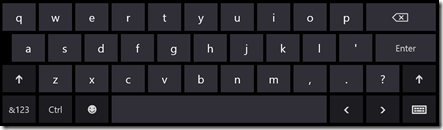 |
| date | Defines a date control (year, month and day (no time)) | Windows 8 standard keyboard |
| datetime | Defines a date and time control (year, month, day, hour, minute, second, and fraction of a second, based on UTC time zone) | Windows 8 standard keyboard |
| datetime-local | Defines a date and time control (year, month, day, hour, minute, second, and fraction of a second (no time zone) | Windows 8 standard keyboard |
| Defines a field for an e-mail address | “email” keyboard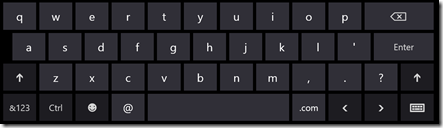 | |
| month | Defines a month and year control (no time zone) | image |
| number | Defines a field for entering a number | “numeric” keyboard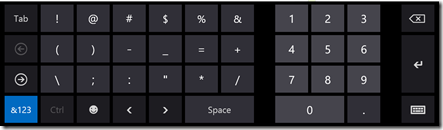 |
| password | Defines a password field (characters are masked) | “password” keyboard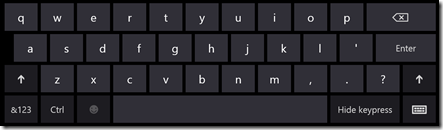 |
| range | Defines a control for entering a number whose exact value is not important (like a slider control) | none, renders as a slider control |
| tel | Defines a field for entering a telephone number | “numeric” keyboard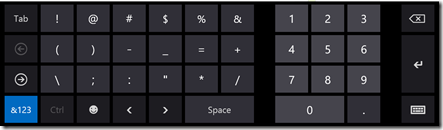 |
| text | Default. Defines a single-line text field (default width is 20 characters) | 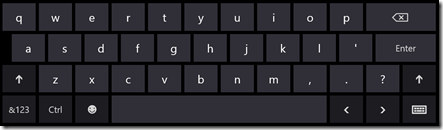 |
| time | Defines a control for entering a time (no time zone) | 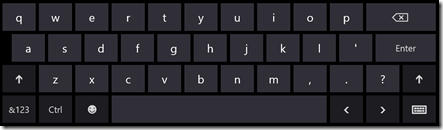 |
| url | Defines a field for entering a URL | “url” keyboard 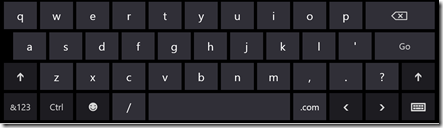 |
| week | Defines a week and year control (no time zone) | 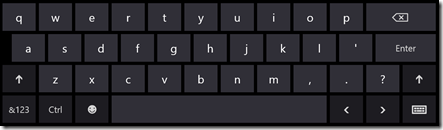 |
Why is this important? For those of you using non-touch based devices (traditional keyboard devices like desktops and laptops), it isn’t really all that important. However, it makes a huge difference when you browse to the site on a touch device and get an appropriate soft keyboard displayed for the type of data you’re trying to enter.
Especially since older browsers that don’t understand these new attribute values will default to text (which is what the user would see anyway) there is absolutely no reason for you not to update your websites to take advantage of these new types. Your fingers and your users will thank you, even if they never say so out loud.