
Yesterday I wrote this post but forgot to mention about something that is very close to my heart ASP.NET MVC. ASP.NET MVC has been evolving rapidly and within 2 years, we already have had 4 major releases (MVC 1, MVC 2, MVC 3 & MVC 3 Reloaded)
So, it doesn’t go as a surprise that MVC 4 is on the cards and the developer preview was unveiled at BUILD Conference. What does MVC 4 offer for web developers?
Enhanced Default Project Template
If you are bored with the vanilla blue template that comes with the “File – New – ASP.NET MVC” Project that you have been living with over the last year, here is a refresher.
Once you install the MVC 4 Developer Preview through the Web Platform Installer (direct download link is here ), you get to see an additional project template in Visual Studio 2010, while firing “File – New Project” dialog, which is “ASP.NET MVC 4 Web Application” (Trivia: Note this is my 100th MVC Project. Agreed around 50 of them were created but never used )
)
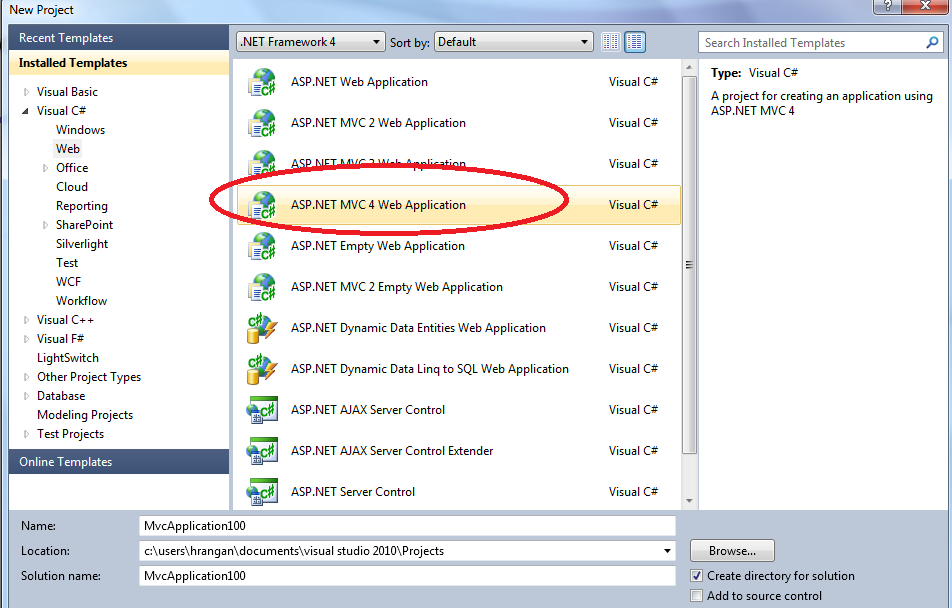
When you click on it, you get to see one more option other than the “Empty”, “Intranet” & “Internet” Templates
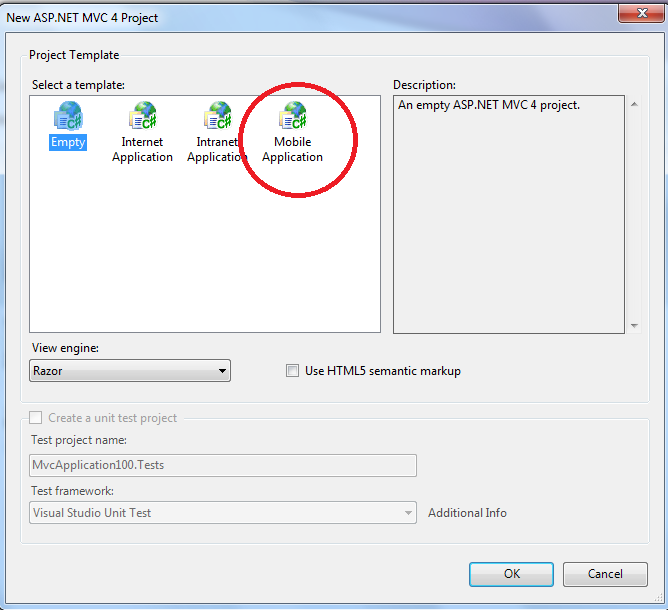
While MVC 3 has been good enough while rendering on mobile devices, its never the same and sometimes I have built sites which look ok but not great on hand held devices. The new “Mobile Application” template specifically is built for MVC 4 applications that are targeted for Mobile Devices. This is based on jQuery Mobile.
However, if we chose the regular “Internet Application” it provides the following new UI
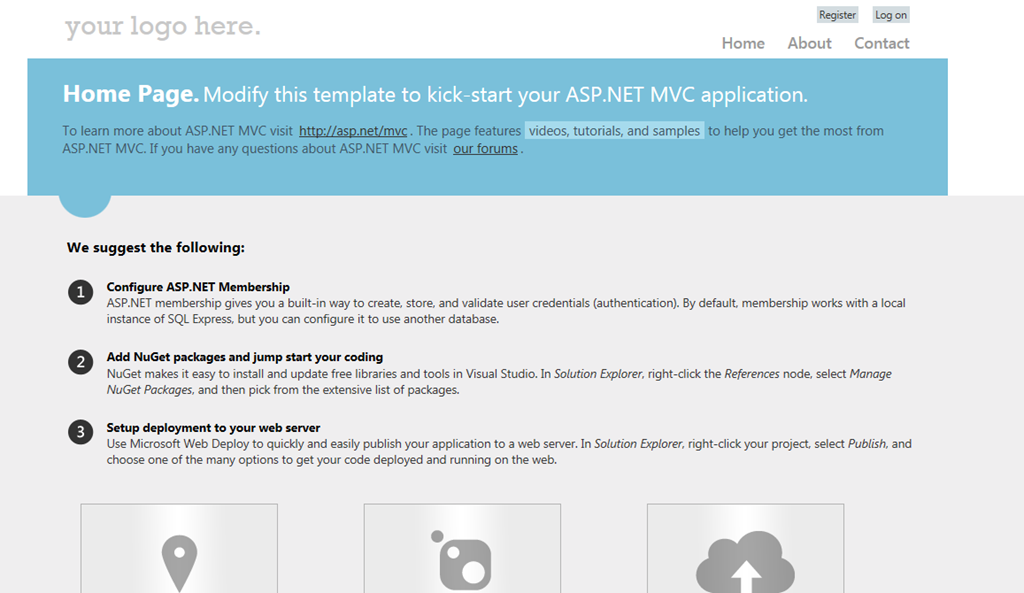
This definitely looks better than the old dark blue and white template. Couple of things to note
1. This one uses the new “System.Web.Providers” for the default Membership configuration and automatically configures all of the other attributes such as Profile, Role, SessionState to use the “DefaultConnection” connection string. So, there is just one place where you have to modify the connection string and all of the above settings would point to that database.
2. It uses an AJAX Login wizard so you no longer have to navigate to /Account/Logon for logging in your users (almost all sites have stopped using this legacy behavior)
It also uses Adaptive rendering to render it better on smaller form factors such as phones and hand held devices, using jQuery Mobile.
Few more enhancements such as Recipes, Asynchronous Controllers etc., provide better development experience. I am examining some of those and would write individual posts on each of these. Meanwhile you can get a high level overview of the same in this whitepaper
Also, you can watch Phil Haack’s session at BUILD on MVC 4 Developer Preview
Cheers!!!