
Its been a while since I played with Web forms, AJAX stuff. I was curious in checking out, particularly how the AJAX Control Toolkit which used to be my favorite in the past is evolving.
There is a new release of AJAX Control Toolkit, just hot off the oven. You can download the binaries from
Now, while the regular way we have downloaded and used AJAX Control Toolkit is by visiting the above codeplex page and download the latest version, there is also a newer and simpler approach with the NuGet Package Manager in Visual Studio 2010. NuGet package manager is a repository of binaries, applications that can be downloaded and used in your Web forms / MVC Applications.
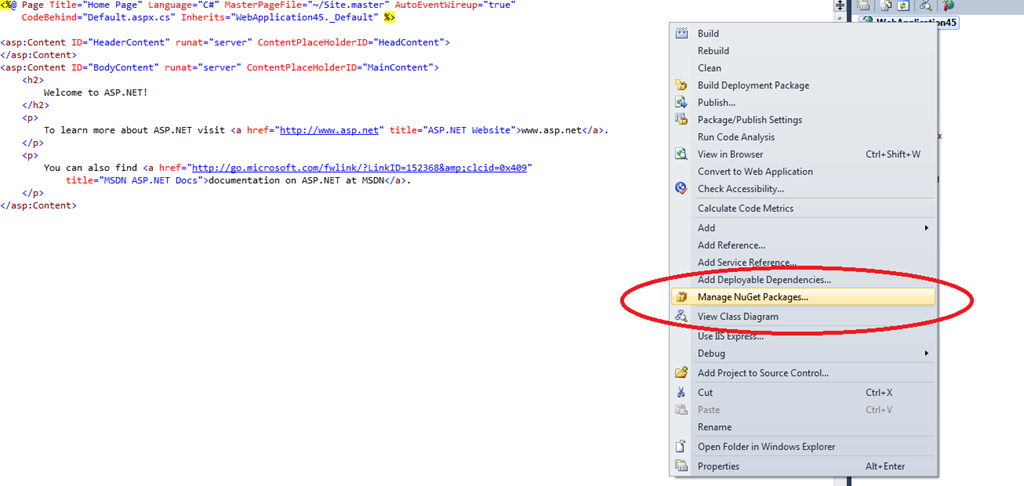
I wanted to try out install AJAX Control Toolkit from the Package Manager Console. So, I went ahead and created a “File – New Project – ASP.NET Web Application”. Once you install the NuGet Package Manager from http://nuget.org/ you will get 2 ways to install libraries from NuGet. One, is typically from the Project’s right click menu – Manage NuGet Package.
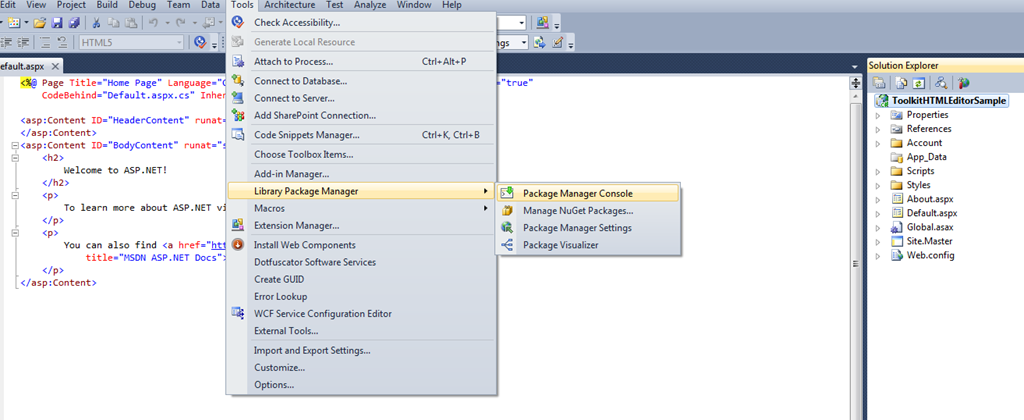
The other way, my favorite, is through the Package Manager Console, a powershell based extension for Visual Studio
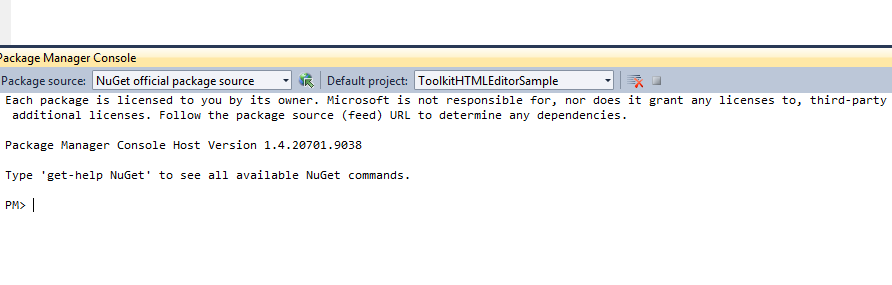
Once you select the “Package Manager Console” form the menu, the following prompt appears in the bottom (next to Build/Output Windows)
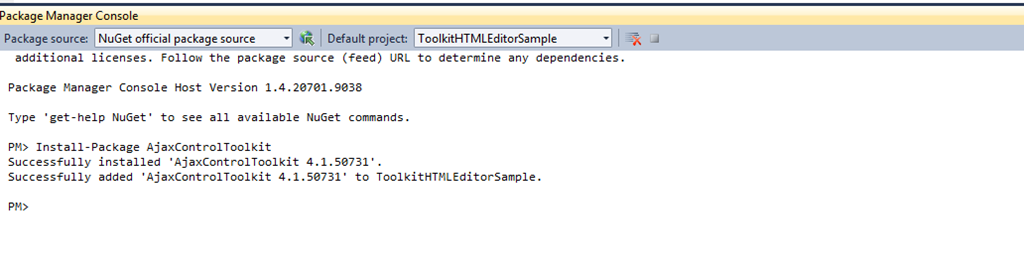
From there, I typed “Install-Package AJAXControlToolkit” and hit enter. It successfully installed the latest version and also made the necessary entries, to the web.config file
Only thing is, you need to build the project for Visual Studio to pick intellisense for Toolkit.
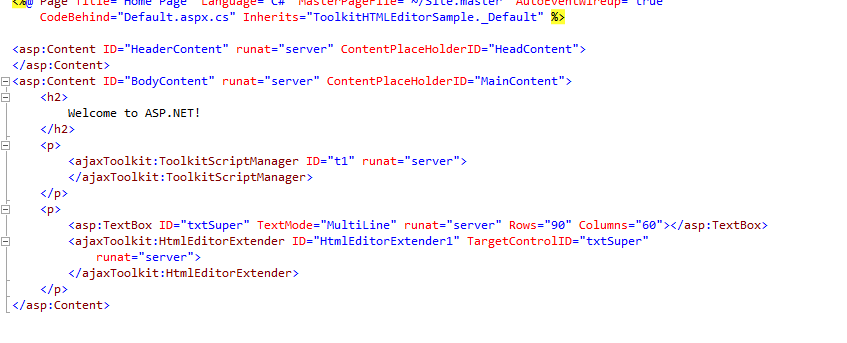
Post that, I wanted to try the new HTMLEditorExtender Control. I added the ToolScriptManager to the page and then added a TextBox and also added the HTMLEditorExtender to it.
Then, when I ran the page, I got the nice HTML Editor for my TextBox where I could enter formatted text as below:-
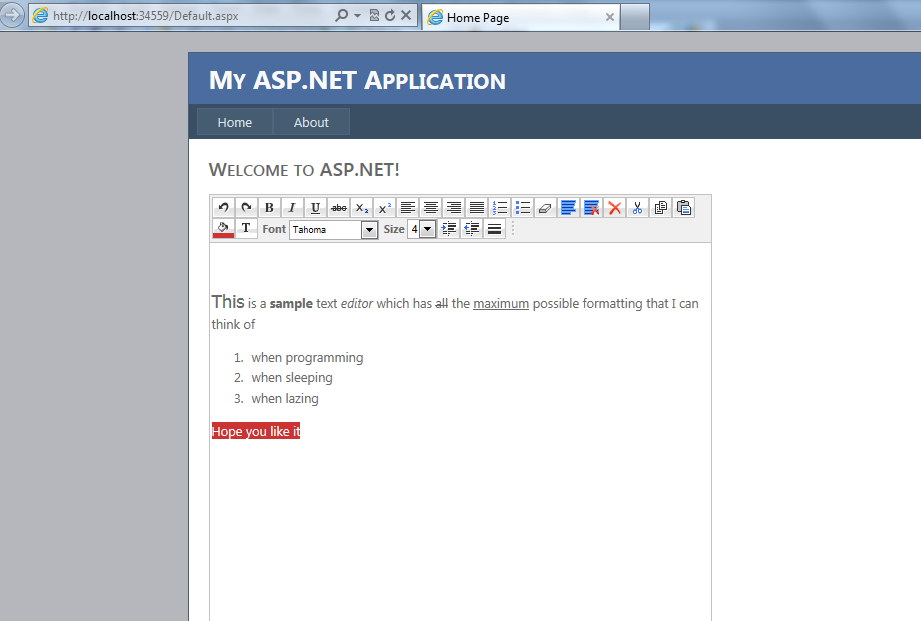
Sweet, right
Now, the first question that one would ask is, wasn’t there an Editor Control already in Toolkit. Indeed, its still there. But this one uses HTML5 Content-Editable feature enabled in the modern browsers. It also is less in terms of markup foot print.
Infact, Stephen Walther has a detailed post explaining the difference. Also, it is advised to use the Anti-XSS Library in combination to avoid script injections. Read the post at
I liked this control so much that, I thought I would revive my series on Web Forms
Cheers!!!