
IE9 Toolbar’s Browser Mode allows us to test for different versions of IE. This feature has been there right from IE8 Developer Toolbar. But, I always thought that the testing was just limited to the different versions of IE i.e. IE7, IE8 and IE9. One of the advantages of having a technical boss is that, he points to the right set of information when needed. @harishV pointed out that you can test even for other browsers such as Chrome, Firefox, Safari from within the IE9 Developer Toolbar.
For the purpose the demonstration, I am using a simple Web Application with a Button and a Label that displays the User Agent when clicked.
Once you add the Button and Label, the button click event has the following code (simple stuff, but just putting it for transparency  )
)
protected void Button1_Click(object sender, EventArgs e)
{
Label1.Text = Request.UserAgent;
}
And when we run the page and click on the button, by default IE9 would resort to IE9 Browser Mode and IE9 Document Mode
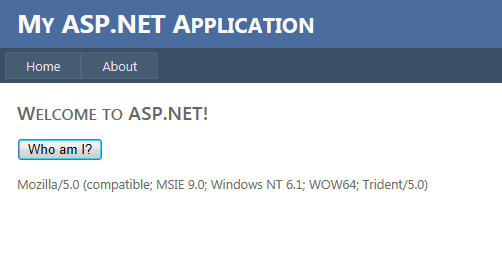
One of the nice things you would notice about the IE9 user agent string, is that, its simplified and doesn’t have the lengthy .NET Framework, CLR versions mentioned, as it was earlier. Its simplified, much simplified!
When we change the browser mode to IE8, you will notice, couple of things
1. The page automatically reloads (not refresh)
2. The User Agent is as follows:-
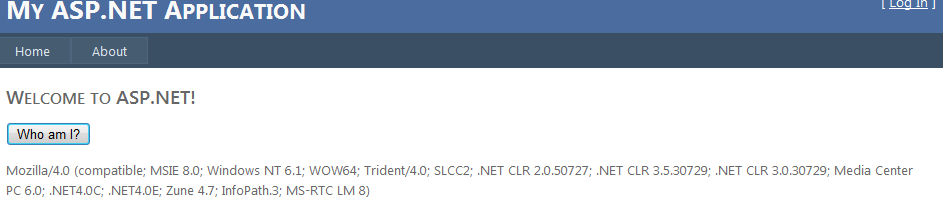
Now, the main intent of this post, how can you test for other browsers
Open the F12, Developer Toolbar and from Tools – Change User Agent String
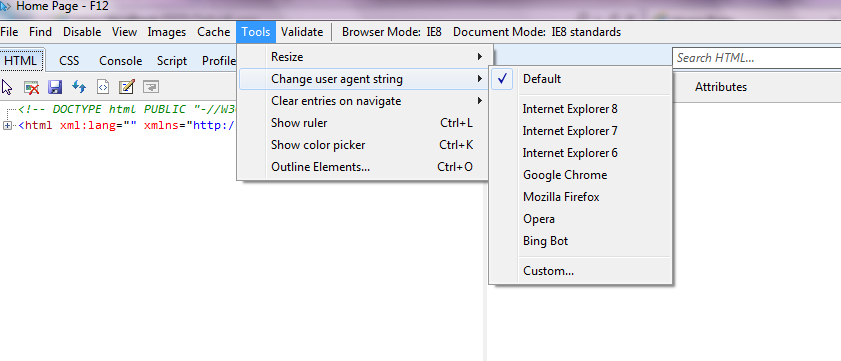
Lets say we select “Google Chrome”
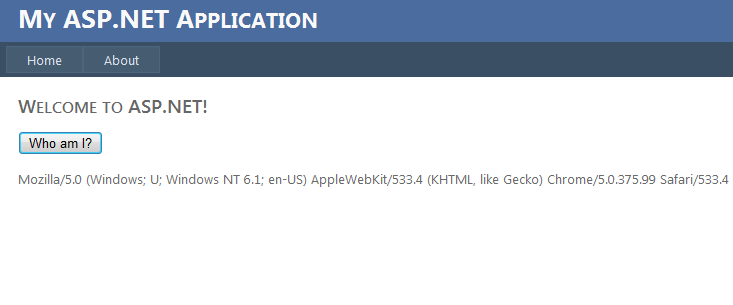
and when we select “Opera”
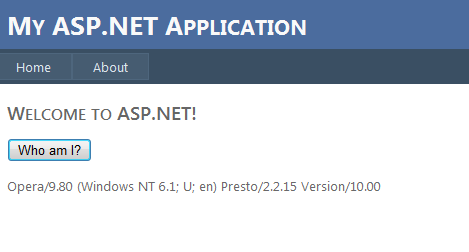
Isn’t it cool, testing for Chrome/Opera/Firefox from within IE Toolbar?
Cheers !!!