TFS - View all pending changes for all users

Team Foundation Server allows you to see who has what file checked out at any time.  If you would like to see a list of files that any TFS User has checked out, follow the steps below:

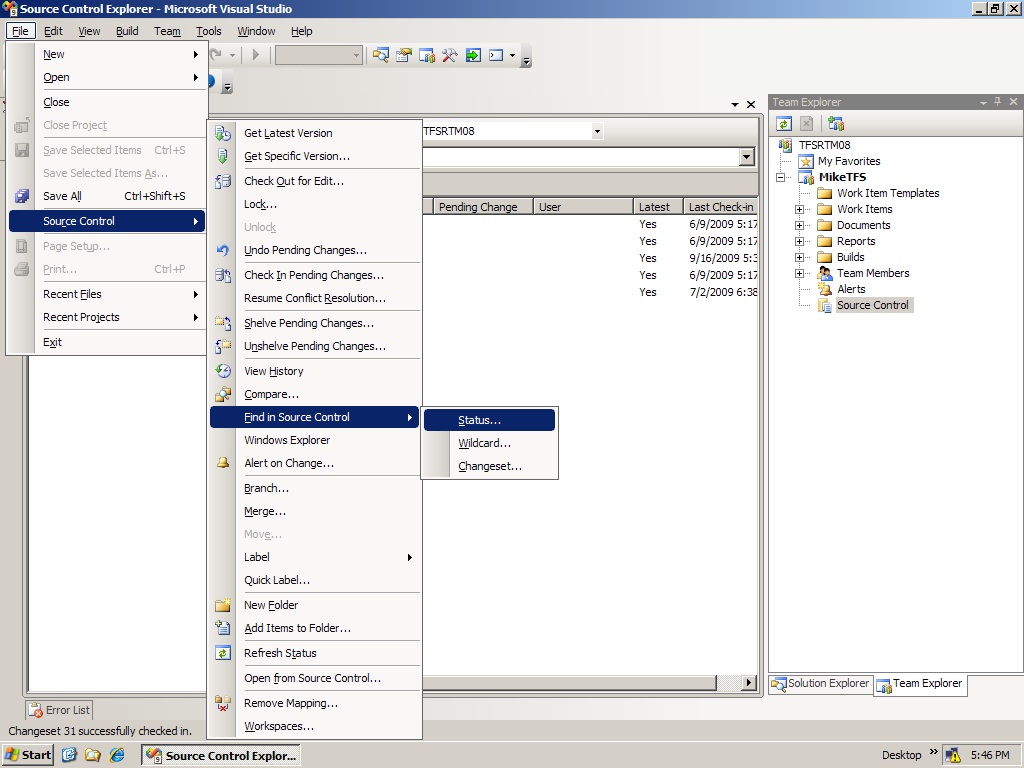
  1. Open Visual Studio 2008 > Click File > Source Control > Find In Source Control > Status

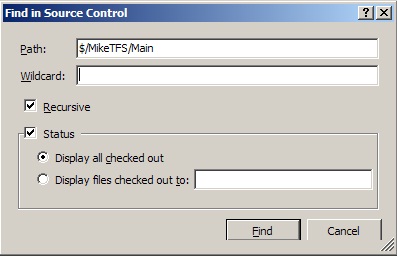
  2. Select "Display all checked out" or "Display files checked out to" (to filter changes by user)

  3. Hit Find

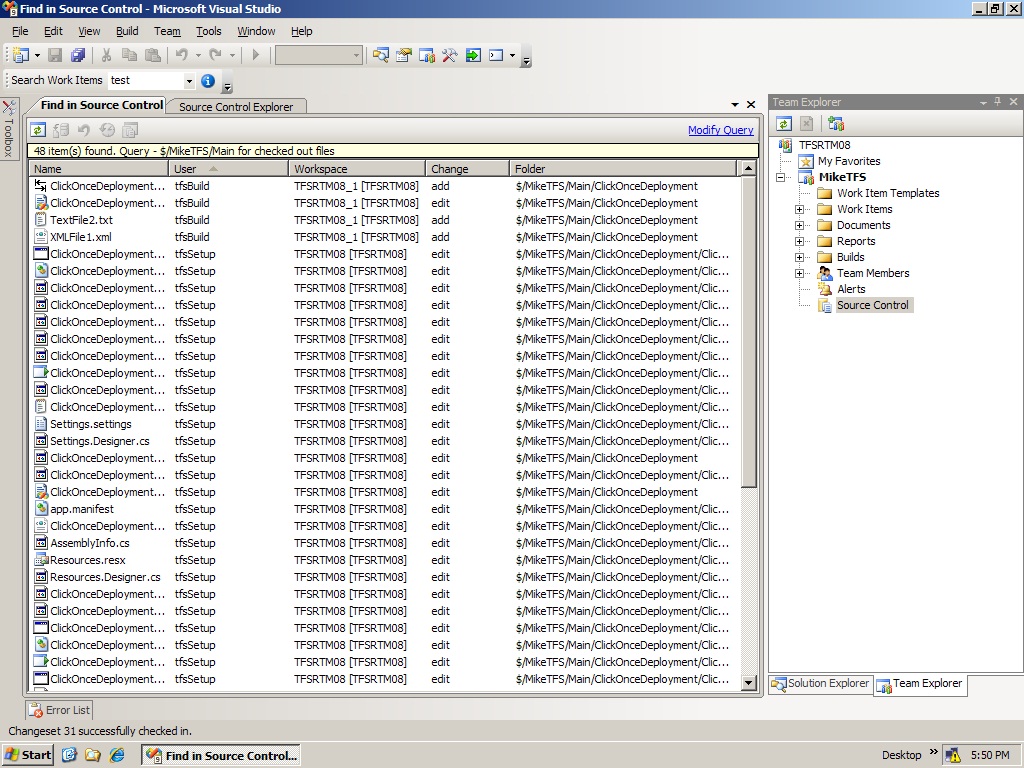
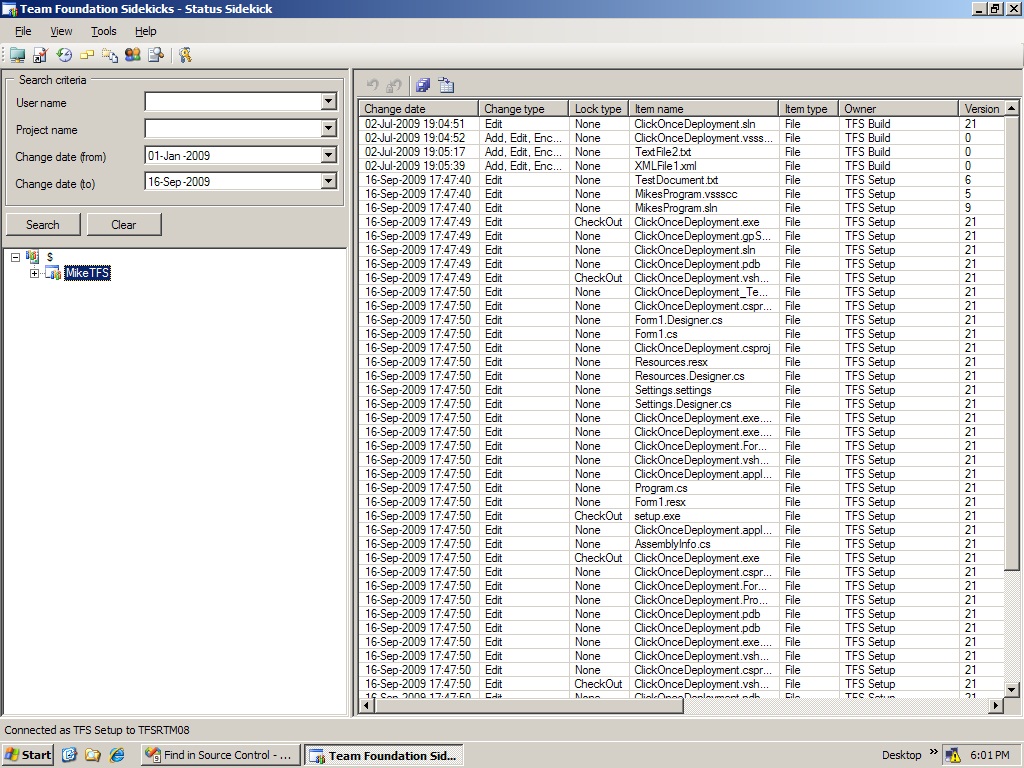
The screenshots below show the type of results you should expect.  Another great way to get this info is by using Team Foundation Sidekicks. If you go this route, you will be able to export the results to a spreadsheet to make them easier to work with. I had to use this the other day to generate a list of all files that were checked out by multiple users. It was easy to work with the data once I got it in Excel.  If you prefer getting these results from the command line, you can use the tf status command in the Visual Studio 2008 command prompt as another option to view pending changes by TFS Users.
TFSViewAllPendingChanges1

TFSViewAllPendingChanges2

TFSViewAllPendingChanges3

TFSViewAllPendingChanges4

This article is part of the GWB Archives. Original Author: MikeParks

New on Geeks with Blogs

  • We Won The One Award I Actually Care About

    Full Scale made the Inc. 5000 for the fifth year straight, the 12th listing across my three companies. Here is why the one award you cannot buy is worth stopping for.

  • Your Customers Build the Features Now

    I let a tool I liked sit dead for a year rather than build the features I wanted. An MCP server meant I never had to, and your customers can do the same to your product.

  • Get the Size of a Directory in Linux the Easy Way

    du -sh for the quick answer, ncdu for the cleanup, df for the disk itself: every command for checking directory size in Linux, plus why du and df never agree.

  • Vim Search and Replace: The Ultimate Guide

    One :%s command replaces every match in a file before a find dialog would even open. The Vim substitute patterns worth the muscle memory: flags, ranges, capture groups, and multi-file edits.