
Any application we built, will not be completely error free. Application will throw an exception at one or other point. Its a good practice to handle such exception in a way that it wont expose any critical information that would invite hackers.
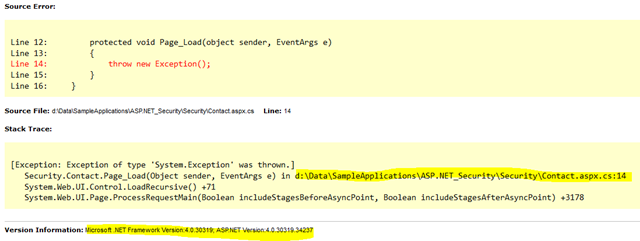
When an error occurred in application if its not handled properly, it will show up many critical information like Physical path, Framework version number, internal implementation(code) and other information. (Refer below image)
This can be avoided by enabling in Web.config, which will avoid exposing such critical information to public.
Step 1:
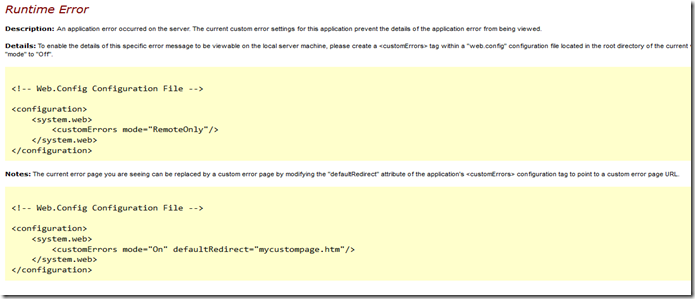
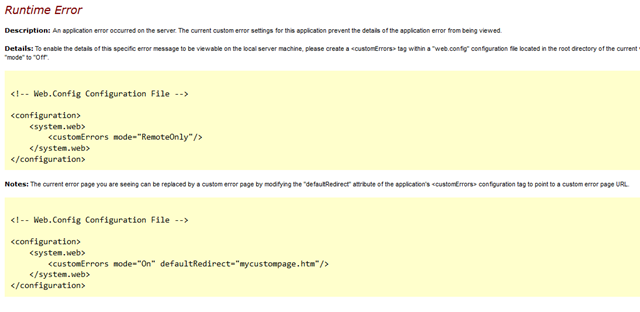
Enable “customErrors”, add section under <system.web> section and set its mode to “ON”.
Default mode of will be “OFF” – This will expose error details to user on web page
Mode “ON” – This will hide information getting exposed to user on web page.
Mode “Remote Only” - This is required when you are working on development machine, when running locally it throws exception details on web page which helps in debugging, if request comes from remote machine it treats such request as customError mode ON. i.e., hinds critical information.
Step 2:
For better user experience, we can redirect user to customError page, for that set “defaultRedirect” property in tag, which redirects to specified page when exception is thrown.
However, when redirection happens it changes URL too, which somewhat looks like (Example URL): , where “/Contact” specifies that error occurred in Contact page and then navigated to “Error.aspx” page, which is not necessary to be displayed for user. This can be avoided with a configuration under tag, need to set “redirectMode” to “ResponseRewrite”. Then tag looks like below,
With this setting URL will not be changed, looks like (Example URL)
With all these settings, we can avoid exposing any internal code or any such information to user and application is prepared to handle exceptions thrown at runtime.
Hope this helps.
Thanks!