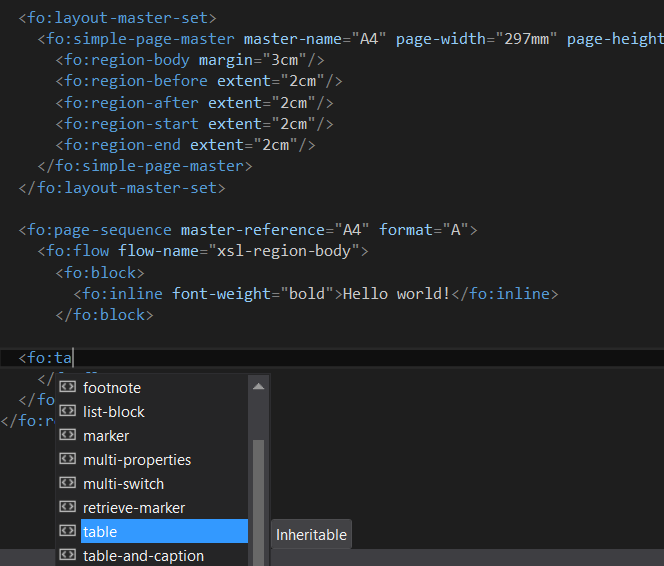
I'm playing lately with an XSL-FO for generating a pdf documents.
XSL-FO has a long list of available tags and attributes, which for a new guy who want to create a simple document is a nightmare to find a proper one.
Fortunatelly we can set an schema for XSL-FO, so will result in acquire a full intellisense in VS.
For a simple *.fo file, we can set the path to the schema directly in file:
<fo:root
xmlns:fo="http://www.w3.org/1999/XSL/Format"
xmlns:xsi="http://www.w3.org/2001/XMLSchema-instance"
xsi:schemaLocation="
http://www.w3.org/1999/XSL/Format
http://www.xmlblueprint.com/documents/fop.xsd">
...
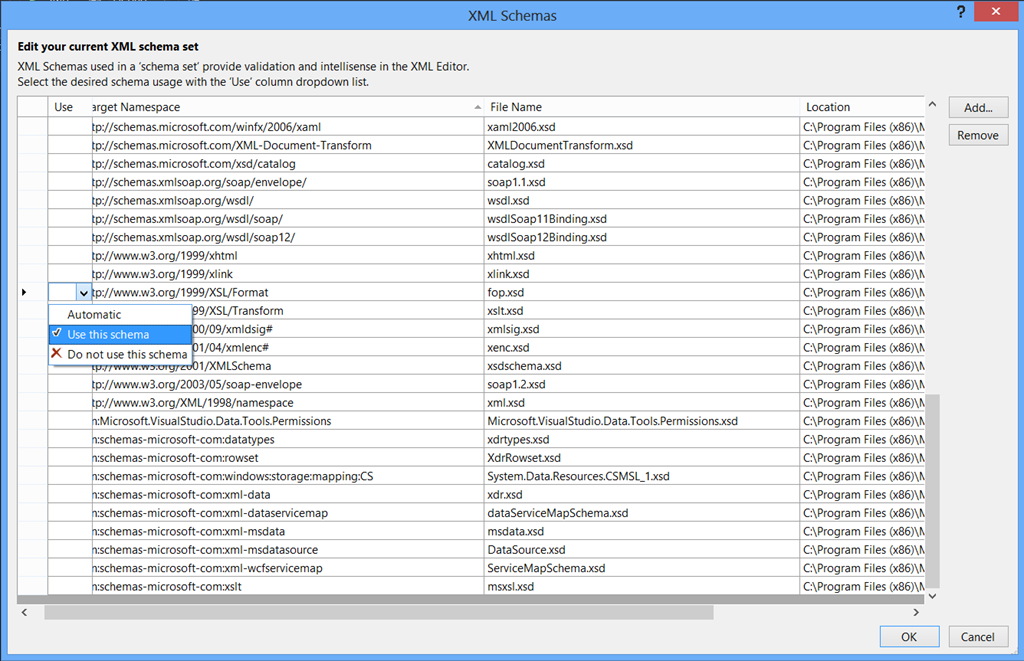
We can of course use the build in VS XML Schemas selector. To use it, we must copy the schema file to the Schemas catalog (defaut path for VS2012 is C:\Program Files (x86)\Microsoft Visual Studio 11.0\Xml\Schemas).
Then we can go to Properties of the opened xml/xslt file and set the new added schema to file:
From now, we should have an enable intellisense as shown below: