
Some applications are just bent on seeing what appears to be the pristine original Default Web Site that is created when IIS is first installed. For instance, when setting up Microsoft's own Reporting Services it depends upon having a web with the same underlying site ID as the default, “W3SVC/1“. So you can paint yourself in a corner if you ever get a wild hair and just up and delete it one day:
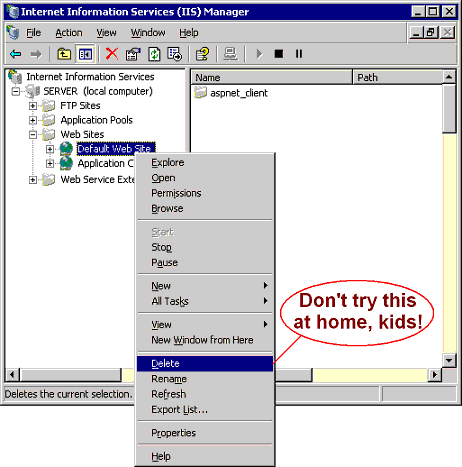
To these finicky apps, anything created after the fact, even if it is called by the right name, is no longer truly *the* default site since it has a different number in the metabase. So how do you fix it? Some have recommended to uninstall and reinstall IIS to get things back in order. Although that works, you lose all the configuration of any other webs on your system, which can be quite painful. So in this post I'll show you a way to get the job done without going to that extreme. The idea is to copy an existing web on your server to a new one with ID 1 that will then appear just like Default Web Site. A handy VBScript program called adsutil will do the dirty work.
-
First you want to really make sure that there is not a web known as W3SVC/1. Who knows, maybe someone had simply renamed your default web site or something. Open a command prompt and type this:
c: cd\Inetpub\AdminScripts cscript adsutil.vbs enum w3svc/1
If it comes up with "The path requested could not be found" then sure enough, you don't have a true default website anymore. If no error then check out the "ServerComment" to know which web the machine now thinks is the default.
-
Okay, so you really did kill it. If you'd like to continue recreating your Default Web Site, run this to find the IDs of any other webs you do have (and you'll need at least one):
cscript adsutil.vbs enum w3svc
A bunch of info will fly past. Look for the folder entries at the end, which start with square brackets. You'll have w3svc/Info, w3svc/Filters, and hopefully at least one w3svc/### where the number is the interesting thing. If there are more than one then you can find the name of each with:
cscript adsutil.vbs enum w3svc/###
(Putting in the ###s that you saw in the list.) Check out the ServerComment property to know its name. Find a numbered web in the list from above that you can use as a template to copy from.
-
Now that you know an ID to use as a source, use these commands to copy this to a new web with ID 1:
cscript adsutil.vbs create_vserv W3SVC/1 cscript adsutil.vbs copy W3SVC/### W3SVC/1 cscript adsutil.vbs set w3svc/1/ServerComment "Default Web Site"
Note that with the last command there you can actually rename the new web to whatever you want to call it. This is the name under which it will appear in the Internet Information Services MMC (aka InetMgr).
Voila! That's it. You've replicated everything across from one web to the other, and you can now go into InetMgr and administer your good-as-new Default Web Site.