
Once you write a blog post, it is good to have your editor ping a few of your favorite blog post repositories to help drive traffic to you blog. Windows Live Writer (Beta) allows you to setup a list of sites you want to ping once you posted. Here are the steps to make that possible:
- Open Windows Live Writer (Beta)
- Click Tools...Preferences
- Click on the Ping Servers link on the left side of the Preferences window
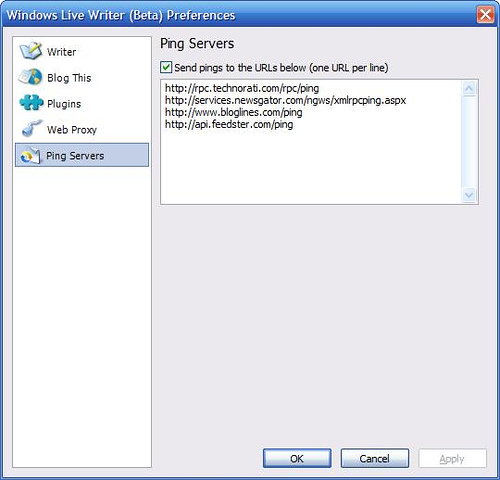
- Add the list of sites you would like to ping once your post is published.
Here is my list of pings:
- - Technorati
- - Newsgator
- - Bloglines
- - Feedster
- - Weblogs.com