
Windows Azure Horror Story: The Phantom App that Ate my Data

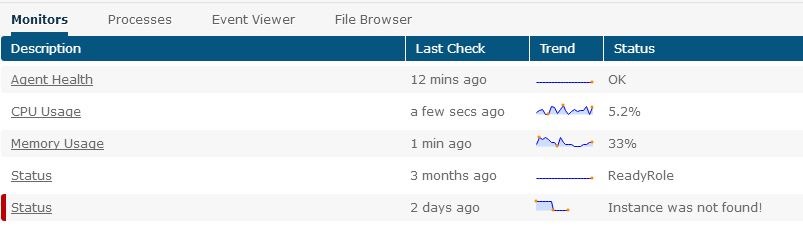
blog-status

I quickly checked the running services, and sure enough, the Windows Azure Guest Agent (which runs worker roles) was still running:

blog-rolerunning

“Surely, this can’t be” I’m thinking at this point. Knowing that this worker role is in our QA environment, it has debug logging turned on. And, using our log file tailing feature, I can see that, yes, indeed, this deleted deployment is still executing code. Pulling messages off queues. Sending alerts. Changing data.
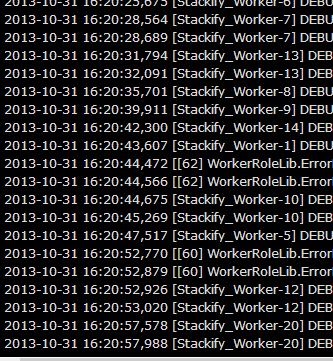
blog-logging

Fortunately, our tools give me the ability to manually disable the Windows service that runs this code. In the meantime, I have contacted everyone I know (and support) at Microsoft to address this issue.

Needless to say, this is concerning. When you delete a deployment, it needs to actually delete. Not continue to eat your data. As soon as I learn more, I’ll be posting an update.

This article is part of the GWB Archives. Original Author: jasont

New on Geeks with Blogs

  • We Won The One Award I Actually Care About

    Full Scale made the Inc. 5000 for the fifth year straight, the 12th listing across my three companies. Here is why the one award you cannot buy is worth stopping for.

  • Your Customers Build the Features Now

    I let a tool I liked sit dead for a year rather than build the features I wanted. An MCP server meant I never had to, and your customers can do the same to your product.

  • Get the Size of a Directory in Linux the Easy Way

    du -sh for the quick answer, ncdu for the cleanup, df for the disk itself: every command for checking directory size in Linux, plus why du and df never agree.

  • Vim Search and Replace: The Ultimate Guide

    One :%s command replaces every match in a file before a find dialog would even open. The Vim substitute patterns worth the muscle memory: flags, ranges, capture groups, and multi-file edits.