
Complex Types make it easier to work with objects, allowing the grouping of related properties in Entities and the reuse of these groupings across Entities.
The first release of Entity Framework included Complex Type support but did not expose this capability through the Entity Data Model Designer. The good news is … it now does.
You can check out the MSDN documentation on using the ADO.NET Entity Data Model Designer with complex types:
- How to: Create and Modify Complex Types
- How to: Add a Complex Type to an Entity Type
- How to: Map a Function Import to a Complex Type
- How to: Map Complex Type Properties to Table Columns
In my earlier post on Model First I slipped in a complex type for Product.
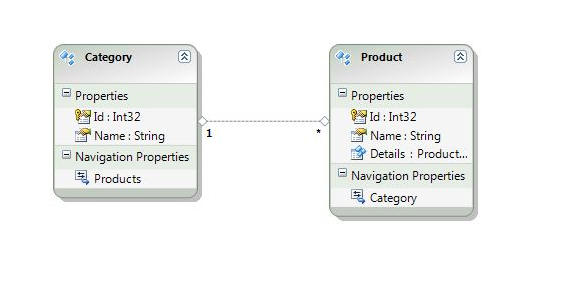
Specifically I used the Refactor into New Complex Type option of the designer:
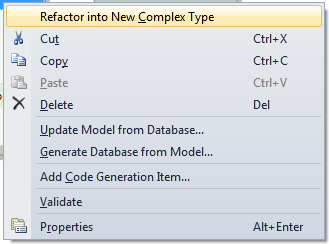
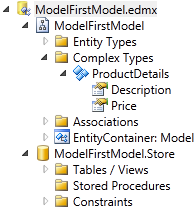
To take two properties of Product, Description and Price, and create a new Complex Type ProductDetails:
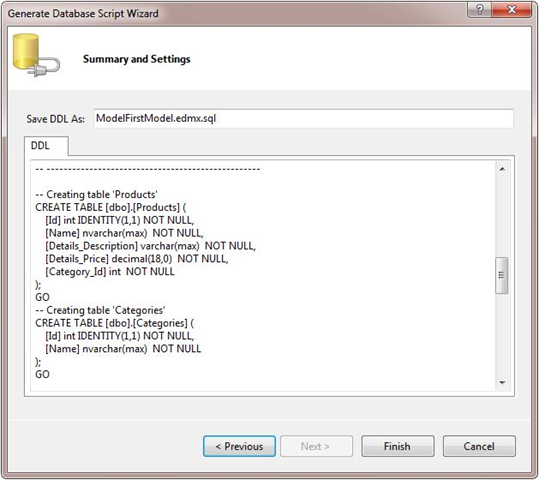
When I then went on to generate the database script, Entity Framework came up with the following physical schema to support my complex type, concatenating the property name Details with the original property names Description and Price:
The corresponding mapping is:

Nice and simple.
The other use of Complex Types is to map a Function Import to a Complex Type. This is worthy of its own post in the future – as this functionality dramatically simplifies working with stored procedures in Entity Framework 4.