
A question was asked yesterday in one of the CodeProject discussion forums by someone looking for a way to easily change the Target Framework version of all projects in a solution. If you don’t know, the Target Framework version is what tells the compiler which version of the.NET Framework to compile against (more information is available here) and can be set to one of the following values:
-.NET Framework 2.0 -.NET Framework 3.0 -.NET Framework 3.5
This can be easily accomplished by editing the project properties:
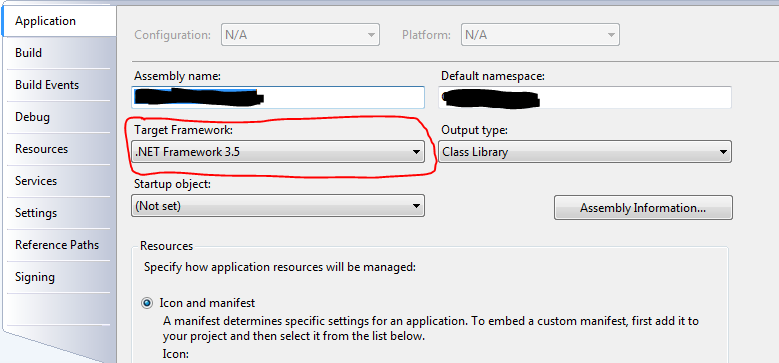
The problem with this approach is that if you need to change a lot of projects at one time it becomes rather unwieldy. (In this particular case, there were 56 projects that need to be changed). One possible solution is to edit the project files by hand in a text editor and change the v3.5 property to the correct value. Again, this is not only time consuming but can also be error-prone.
The better solution is to automate this through the use of a Visual Studio macro. Since this looked like an interesting exercise and was a chance to dig a bit deeper into the strange (and largely undocumented) world of macros, I created one that does just that. It prompts you for the target framework version you want to set for all of the projects and then loops through each project in the solution and makes the change. It is smart enough to skip project types that don’t support this property and projects that are already at the correct version.
The macro is on my SkyDrive account. Download it to your \Documents\Visual Studio 2008\Projects\VSMacros80\MyMacros folder, open the Visual Studio Macro IDE (Alt-F11) and add it as an existing item to the “MyMacros” project.
I make no guarantees or warranties on this macro. I have tested it on several solutions and projects and everything seems to work and not cause any problems, but, as always, use with caution. Since it is a macro, you have the full source code available to investigate and see what it’s actually doing. If you find any bugs or make any useful changes, please let me know and I’ll update the macro.