
When dealing with existing systems, sometimes a challenge presents itself in the form of a flat file. Trying to impose structure upon a flat file can be achieved, however, using the Table Looping and Table Extractor functoids. Consider the following schemas:
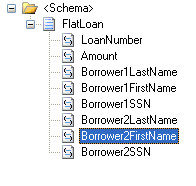
Source schema:
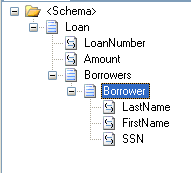
Target schema:
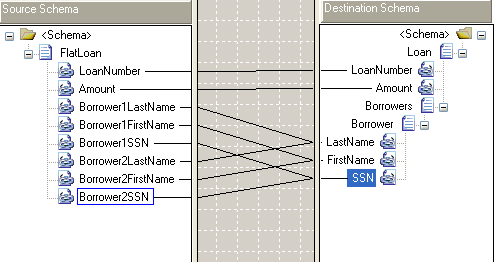
One’s first attempt at a map to transform the source to destination might look something like this:
We’ll use the following input file to test the map.
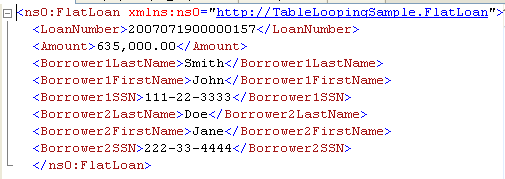
The output isn’t quite what we were hoping for.
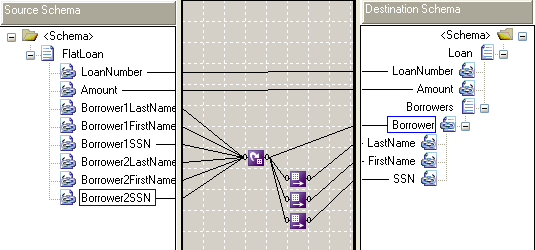
The Table Looping functoid is the key to what we’re trying to achieve. Below is the map that uses the Table Looping and Table Extractor functoids to create the desired output.
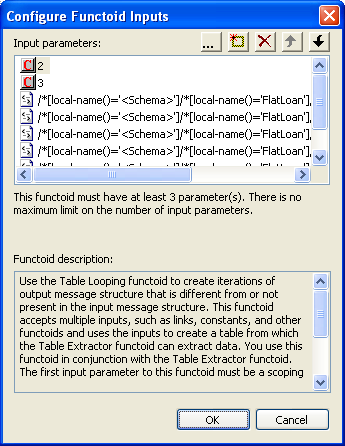
The Borrower fields are used as inputs into the Table Looping functoid as well as some definitions about how many rows and columns there will be.
By opening up the Table Looping Grid, we’re able to define what fields will go into certain columns/rows:
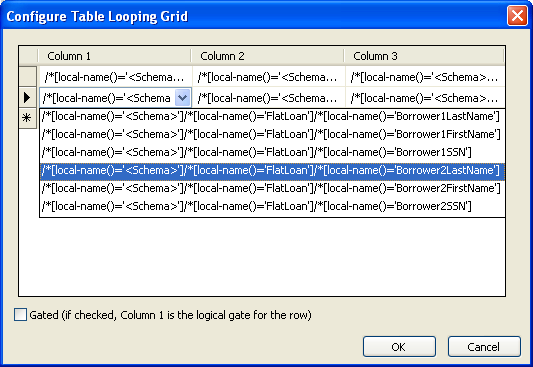
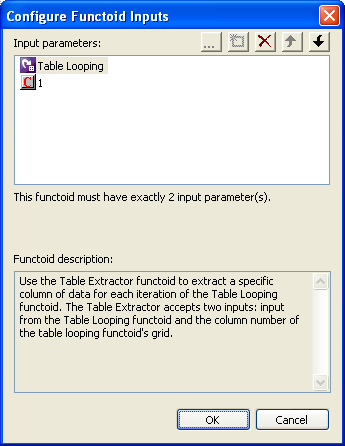
The Table Extractor functoids are used to define which columns from the table map to use as inputs. Each Table Extractor functoid corresponds to a column within the Table Looping Grid.
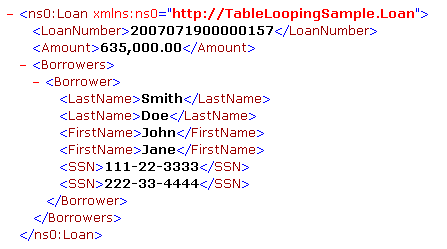
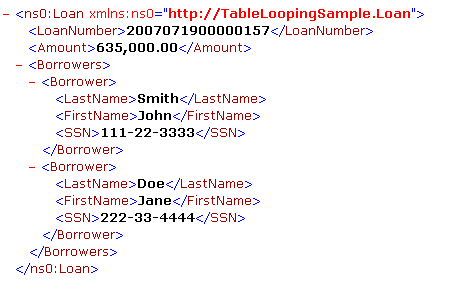
And finally the output from Table Looping functoid to the Borrower node dictates that a Borrower node be created for each row within the Table Looping Grid. With that said, here’s the output from testing the second map:
Source code for this example can be found here.