
There are two types of dynamic ports in BizTalk 2004. They are Dynamic One-Way Port and Dynamic Solicit-Response Port. The following sample is based on Dynamic One-Way Port, using the other one will be very similar.
1. Create a new BizTalk project.
2. Create a schema to the new project.
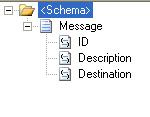
3. Promote “Destination” to be a distinguished field.
4. Create an orchestration to the project. “DynamicSendPort” is a configure port with “Dynamic” port binding.
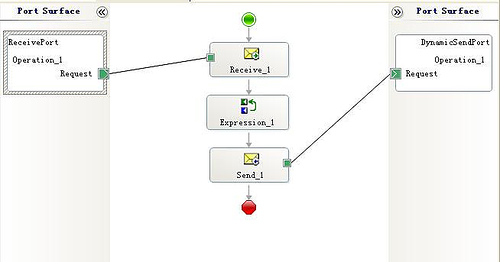
5. Add the following statement into expression shape. “MsgSample” is the message created in orchestration view
DynamicSendPort(Microsoft.XLANGs.BaseTypes.Address) = MsgSample.Destination;
6. Associate the strong name key to the project and deploy it.
7. Create receive port in BizTalk Explorer pointing to a local file directory.
8. Bind the receive port to orchestration and start the orchestration.
9. Drop the XML instance file to the receive location and you will see the message sent to the location defined in the instance file. The XML instance file should look like the following.

Destinations could be on different protocols as long as the URI is correct. BizTalk will generate “The outbound transport could not be resolved” error if URI couldn't be found. The following are some valid formats.
file://c:\file\Dynamic\Output\%MessageID%.xml
msmq://.\private$\TestQueue
http://orders.mycompany
…Edmund Zhao