

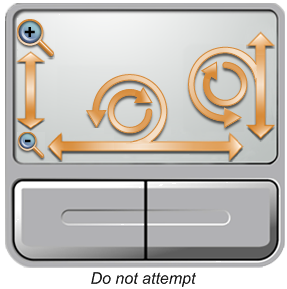
I bought a Dell Studio 17 a few months ago, and as much as I love it, the TouchPad is like crazy-annoying sometimes. Not too long ago, touchpads starting allowing scrolling functionality by sliding your finger up and down the right-most side of the touchpad. Cool feature, but it forced me to stay more to the left side of the touchpad. The wonderful folks at Dell decided that the left side of the touchpad should not be a scrolling feature, but a zoom instead. Nothing like browsing a web page and have it either zoom in to the nose hairs of your elementary school teacher on Facebook, or zoom out to satellite imagery height.
In addition, there’s a scrolling zoom feature, which seems to require 3 hands to invoke. My kids can do it, of course.
As always, I blog when I discover a solution to a problem that is not readily found by Binging it, so here is what I found.
On your machine there, should be a folder called DellTPad, most likely in the C:\Program Files\ folder. In that folder is an application (.exe) file called DellTPad.exe.
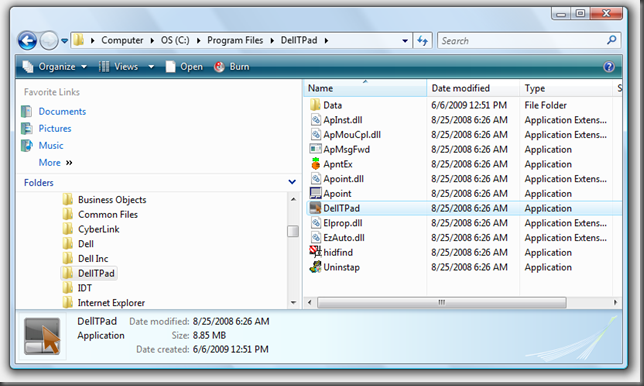
Run (double-click) DellTPad.exe and the Dell TouchPad settings window will appear.
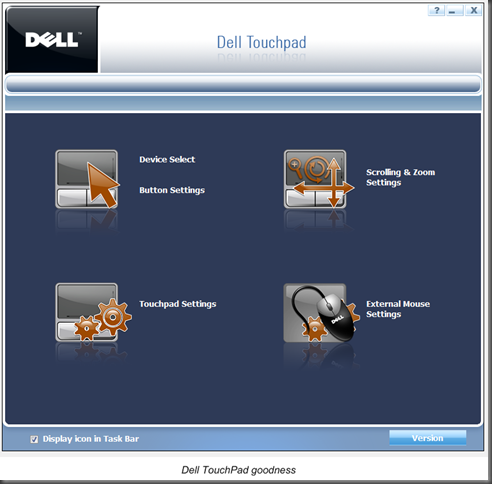
From this window, you can make all kinds of changes, like disabling the scroll/zoom/circular scroll, adjusting pad sensitivity, swapping buttons, completely disabling the TouchPad, etc. One especially cool feature I like is the ability to disable the TouchPad when a USB mouse is present. The TouchPad is there when you need it, gone when you don’t!
I hope this helps.