
Hi Guys, few days back I needed to install few DLL assemblies to GAC, since I hardly knew about this topic, so googled on the internet and here is what I learned; There is a utility named ‘gacutil.exe’
which is delivered with Visual studio and .NET framework ( search in your PC for gacutil.exe) or you can also download from internet.
Before installing the DLL to GAC , ensure that the DLL you want to install has a strong name. To assign a strong name follow these steps::
-
Open the visual studio and open your C# project
-
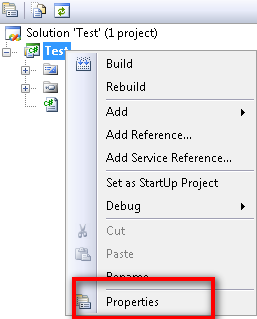
Right click on the project/Solution and click on properties.
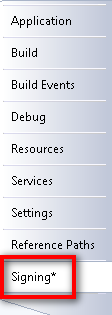
- Click on the ‘Signing’ tab
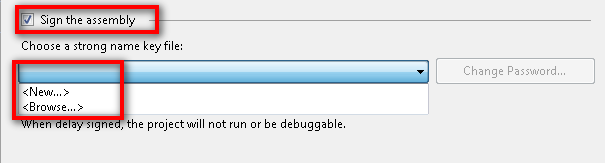
 4) Select the check box Sign the assembly and select a strong key file .
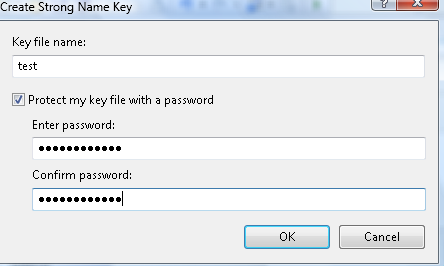
 5) You can also create a new key file by selecting new, click on new to create a key file, provide the name of the file and password
- Now build your solution, the dll file generated has a strong name.