
A few weeks ago I did a post introduced the ExecuteSQL.net stored procedure for SSAS. asked if this function can be called from Excel 2007 when it is set this up as a rowset action and I figured that this would make a good topic for a blog post. So the following screen shots show how you would go about setting up such an action. As a quick example I cheated a bit and set up an Rowset action that calls the sp_who2 system stored procedure. This way I did not have a depedancy on any particular database. You don't have to use a stored procedure, you can use any sort of SQL command that returns a set of rows into a rowset action.
Below is how I setup the action:
image
When you right click on a cell in a pivot table you will see the following:
image
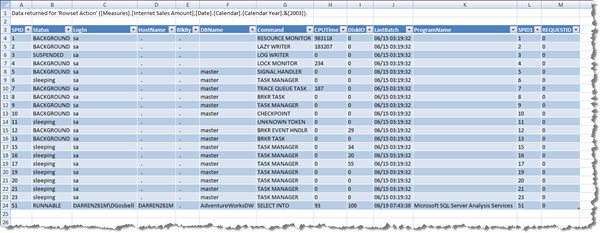
And clicking on the "Rowset Action" creates another sheet that looks like this:
Since I posted about the ExecuteSQL function I have made a slight change to the code I checked into the on codeplex. I have now moved it into a separate "SQLQuery" project so that it compiles to it's own.dll file and does not have to be deployed with the same impersonation mode as the main assembly.