
Updated: June 12, 2006 - I had some debug code in there, basically a sleep for a second statement - doh! - I've removed it and Zip file updated
There have been numerous times that I’ve needed the ability to rename a set of files based upon a pattern, something regular expressions could easily take care of if the old DOS rename command, or something built into the Windows OS could do. However, there’s nothing in Windows base set of command utilities that can provide this. I haven’t delved into Windows PowerShell (fka Monad) enough to see if this capability exists already. But, I had a bunch of pictures that I wanted renamed in my library and just needed a utility to do it.
So, I built this utility to help me rename files, by directory, based upon Regular Expression patterns.
A Zip archive of the Solution files are File Rename Utility Zip File solution that contains the following:
- Visual Studio Solution
- Windows Installer
- Program Executable
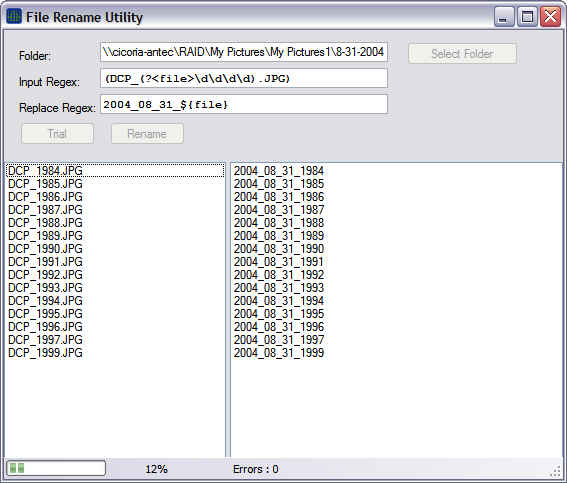
The following is a screen shot of the tool after reading a directory and running a trial.
View of Utility
This version doesn’t have batch capabilities. It does leverage the BackgroundWorker class for handling both the trial and actual renaming of the files so the UI doesn’t block during long processing. So, that means it can be used on a network directory. Below is a screen shot of it running against a UNC name.
About
Shawn Cicoria is a Consultant with Avanade (www.Avanade.com) the leading Systems Integration Consultancy focused on the Microsoft Platform. Shawn is also a MCT training instructor with SetFocus (www.Setfocus.com) located in Parsippany NJ. Focused on distributed technologies such as COM[+], J2EE, and for the past 5 years .NET, SOAP, BizTalk, and Database technologies -- and now WinFX – err, I mean .NET 3.0.