
Have you ever tried to reuse code by adding existing files to a project? In Visual Studio this usually works, with the file getting put into the right location, associating the editor based on the file extension. I’ve been working on a Xamarin Forms project which allows me to use XAML to create the UI and C# for the code behind. This enables me to leverage my skills and experience building Windows and Windows Phone applications on iOS and Android. The problem came when I would include an existing file into a project.
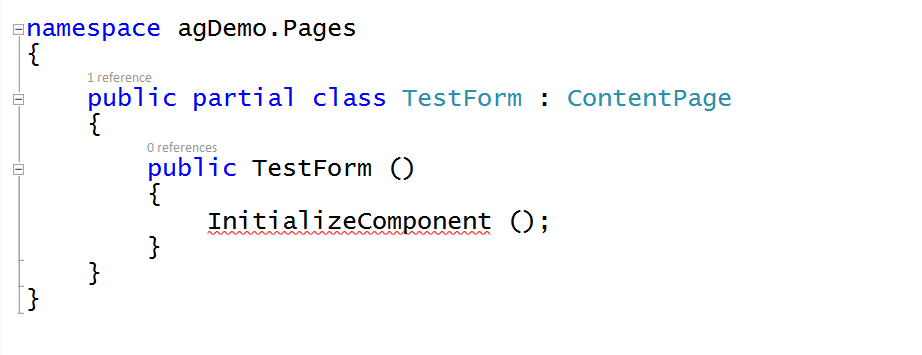
The error: InitializeComponent does not exist – makes me wonder what’s wrong with the file? First things first, I checked that the namespace and class names matched. Next I tried commenting out what might’ve been invalid XAML syntax with the thought that maybe it wasn’t compiling right. No luck. Finally I compared the file to another that was working (I added myWorkingForm.XAML and guess what, no error in that one!). Both had the same namespace, both had the same class name declared as public partial (meaning it’ll compile the XAML + the C# into a class).
Finally I was down to looking at the compiled objects folder…and I saw that while myWorkingForm created an interim file myWorkingForm.xaml.g.cs the one that came from the file I included did not. I decided to look at the shared project’s projitems file (which is what lists the types of files in the project). I discovered that Visual Studio assumes that a XAML file is Windows XAML, not Xamarin XAML. In the projitems file the XML showed that adding the existing file associated it as a Page, where the other file that worked was marked as an Embedded resource (see below).
<**EmbeddedResource** Include="$(MSBuildThisFileDirectory)Pages\\myWorkingForm.xaml"> Designer MSBuild:UpdateDesignTimeXaml <**Page** Include="$(MSBuildThisFileDirectory)Pages\\TestForm.xaml"> Designer MSBuild:Compile
To make it work? Manually change the myproject.projitems file (in the solution explorer open the containing folder then edit the file with notepad) for TestForm.xaml to use the EmbeddedResource tag, matching that for myWorkingForm.xaml. This causes the build to use the Xamarin compiler and generate an interim file TestForm.xaml.g.cs. Problem solved!
Happy Coding! (originally posted on www.benkotips.com)