
Here are a few steps you can follow if you want to restrict access to Sitecore’s Interface on content delivery environments.
-
Open Internet Information Services (IIS) Manager
-
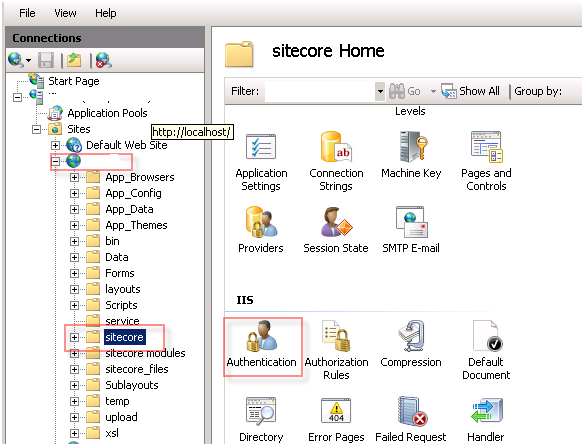
Expand your Content Delivery website
-
Click on the Sitecore folder
-
Double Click on Authentication in the middle content pane
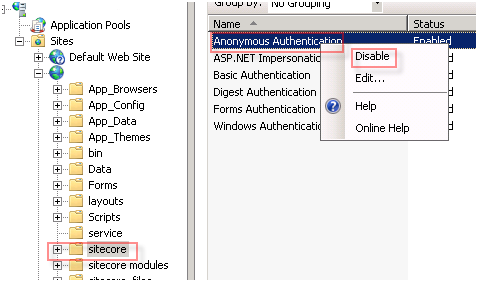
- In the Authentication Pane right click Anonymous Authentication and click Disable
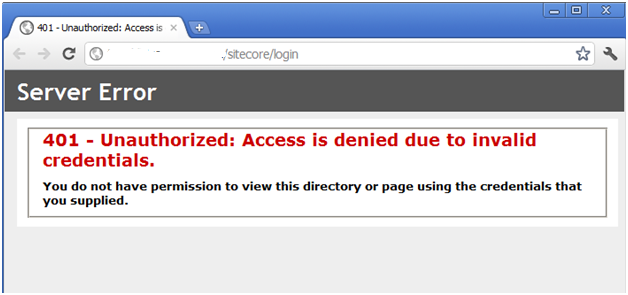
- Try visiting the Sitecore login page on the Content Delivery site and verify that you get an access denied exception
- You might also want to copy the yourwebroot/sitecore/service folder into the webroot and update the paths in the web.config file for the various error pages.
Hope this helps.