
Someone drank the jQuery Kool-Aid…
Here’s a super quick and simple blog post that you may or may not find useful… as always I offer a money back guarantee…
Let’s say you want to print out your SharePoint page but you don’t want the Search Box or anything outside the main content area to print, or maybe you just want one specific web part on the page to print; how would you do that? I spent about 5 minutes Googling it on Bing (I heard that phrase at SPTechCon last week… really wish I could remember who told me, but I can’t take credit for making it up) and found a simple jQuery library which fit my needs perfectly.
There is a jQuery library called “PrintArea”, it can be found at:
Using this library and only a few lines of code you can add a print button or link on any page and just print out the section of the page you want to. First thing you want to do is download the PrintArea.js file and upload it to a document library or deploy it to your file system like I have described in previous posts. Also, make sure you have access to the jQuery library as well. Again, I will just place these in a “scripts” document library for this example. Once you have that done, we are ready to go.
Scenario 1: Printing out a specific Web Part
So, you went to all that trouble to create that pretty DVWP and you would like to give the user the ability to easily print out just that DVWP. What do you do?
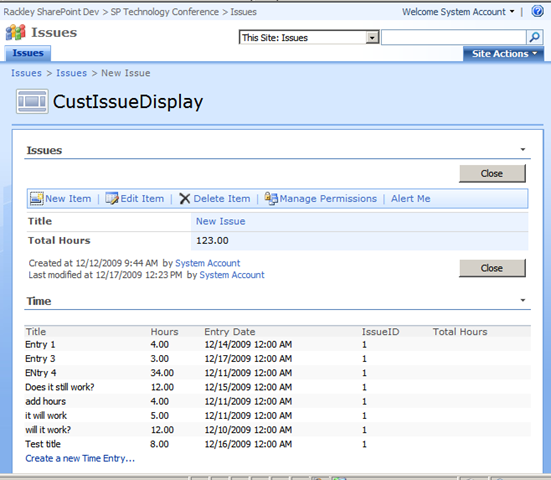
Let’s say you have a DataViewWebPart like the Time List below and you want to print out JUST the time list.
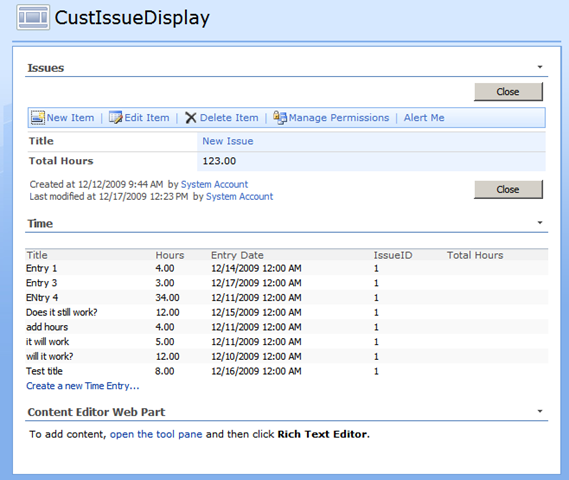
First thing you need to do is add a Content Editor Web Part (CEWP) to the page.
You then need to place the following script into the CEWP: