
Mike Parks

"If you want to be the best, you've got to work with the best"
posts - 26, comments - 101, trackbacks - 0

My Links

News

Archives

TFS - View all pending changes for all users

Team Foundation Server allows you to see who has what file checked out at any time.  If you would like to see a list of files that any TFS User has checked out, follow the steps below:

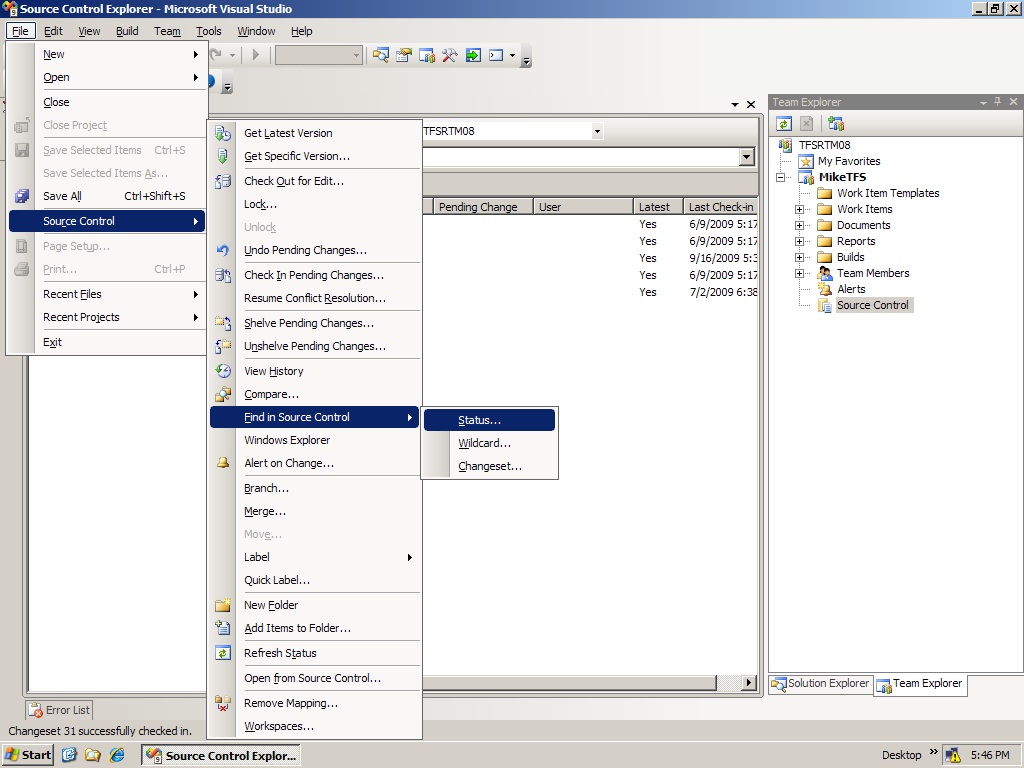
  1. Open Visual Studio 2008 > Click File > Source Control > Find In Source Control > Status
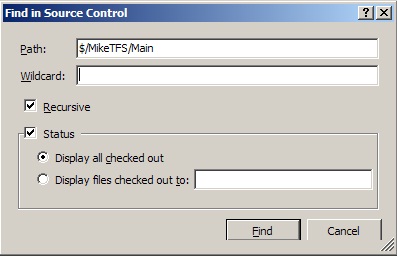
  2. Select "Display all checked out" or "Display files checked out to" (to filter changes by user)
  3. Hit Find
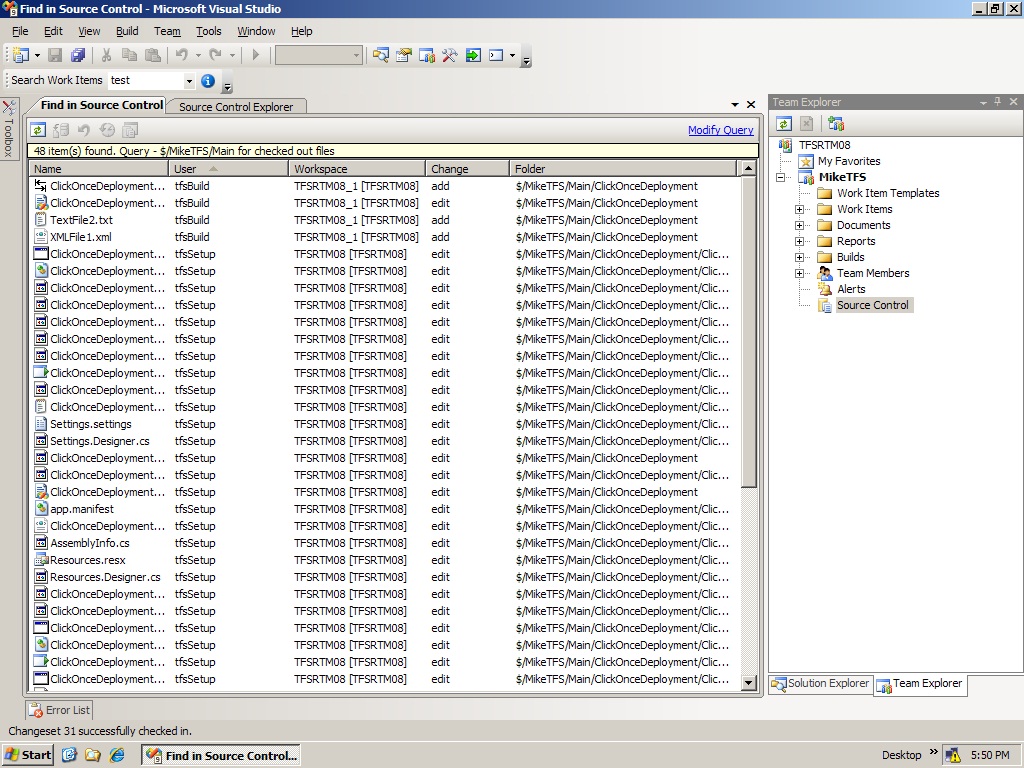
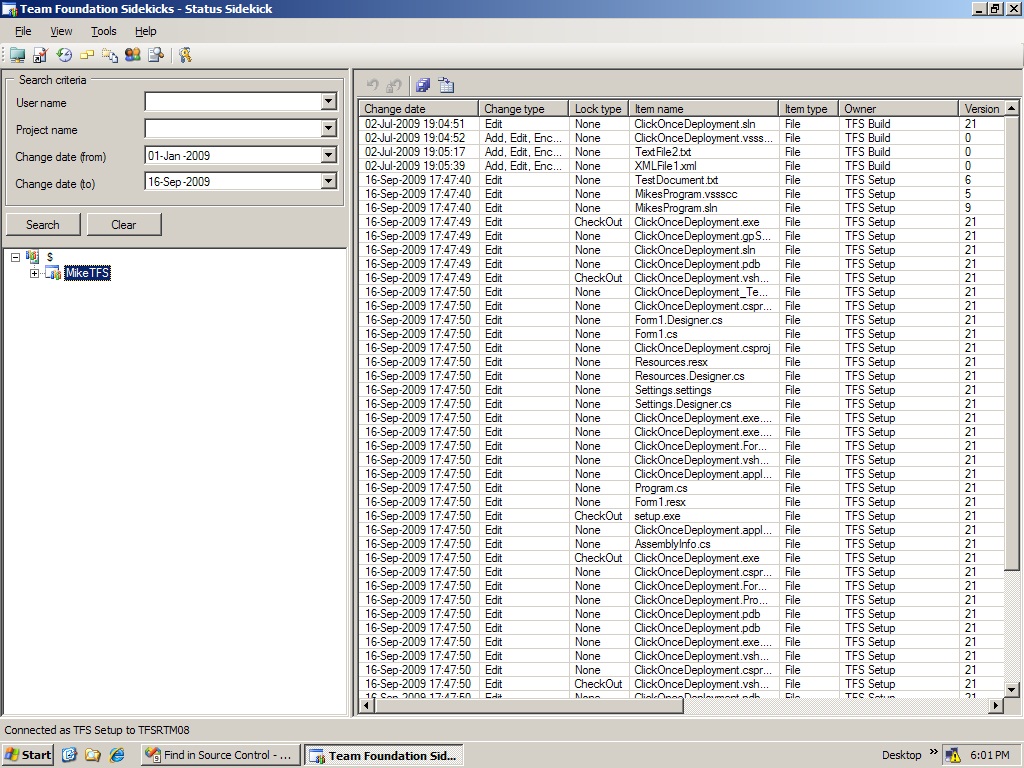
The screenshots below show the type of results you should expect.  Another great way to get this info is by using Team Foundation Sidekicks. If you go this route, you will be able to export the results to a spreadsheet to make them easier to work with. I had to use this the other day to generate a list of all files that were checked out by multiple users. It was easy to work with the data once I got it in Excel.  If you prefer getting these results from the command line, you can use the tf status command in the Visual Studio 2008 command prompt as another option to view pending changes by TFS Users.


  • Share This Post:
  • Share on Twitter
  • Share on Facebook
  • Share on Technorati

Print | posted on Wednesday, September 16, 2009 9:13 PM |

Feedback

Gravatar

# re: TFS - View all pending changes for all users

Readers should be aware that the "Find in Source Control" option is only available if you've installed Team Foundation Server Power Tools. When installing, make sure the "Visual Studio Integration" option is selected.

VS/TFS 2008: http://www.microsoft.com/downloads/en/details.aspx?FamilyId=FBD14EEA-781F-45A1-8C46-9F6BA2F68BF0&displaylang=en

VS/TFS 2010: http://visualstudiogallery.msdn.microsoft.com/en-us/c255a1e4-04ba-4f68-8f4e-cd473d6b971f

Note that you can't install the Windows shell extensions for both versions at the same time.
1/19/2011 3:07 PM | Bill
Gravatar

# re: TFS - View all pending changes for all users

Thanks Bill! Was trying to figure out why I didn't have the option in VS.
7/5/2011 8:07 AM | Hutch
Gravatar

# re: TFS - View all pending changes for all users

Or you can open the Source Control Explorer, right click on your'e project and select "Find in Source Control" --> "Status", and follow the instructions above.
Think this option is available without the Power Tools installed.
10/14/2011 9:25 AM | Rune
Post A Comment
Title:
Name:
Email:
Website:
Comment:
Verification:


Powered by: